Lesson Plan Manual
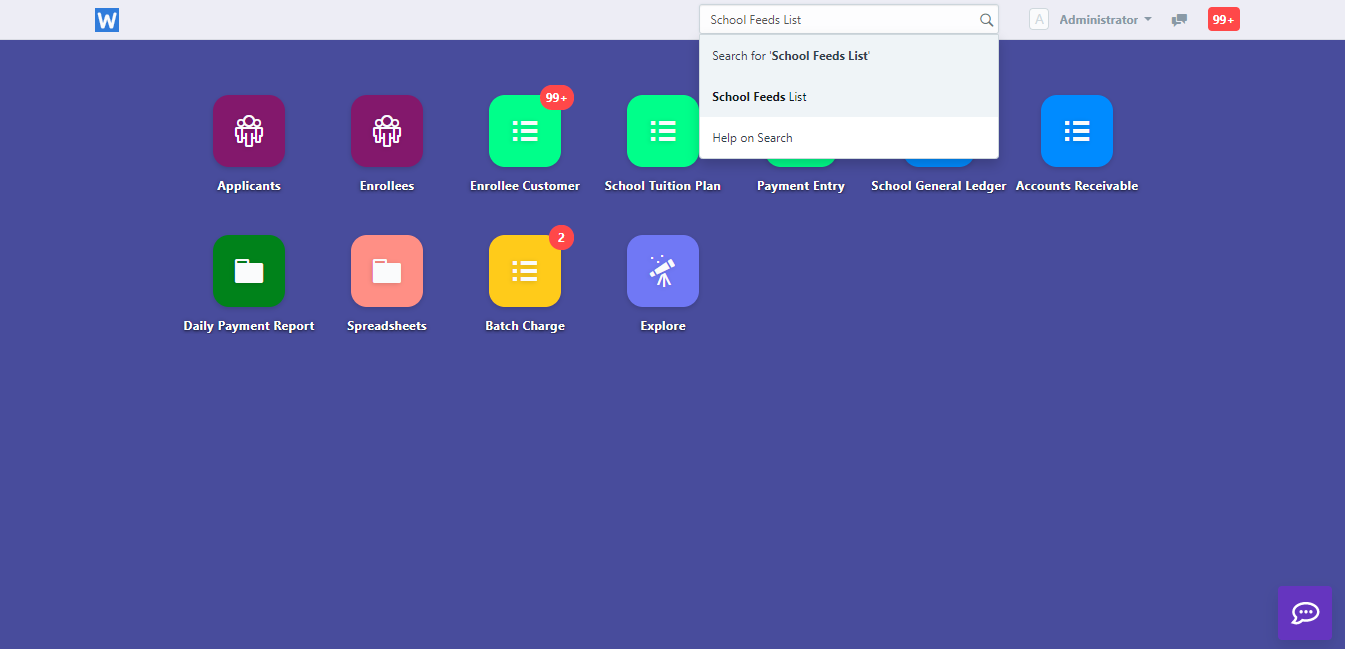
Step 1: Launch the WELA School Portal Step 2: From the dashboard, input in the
School News Feed is the school's recent activity posted on School Feeds icon and/or on selected SMS numbers.
School News Feed is the school's recent activity posted on School Feeds icon and/or on selected SMS numbers. Your news feed represents the social face of your school, therefore posts need to be presented with care.
Click the Icon "School Feeds" to view previous feeds or make new Feeds.
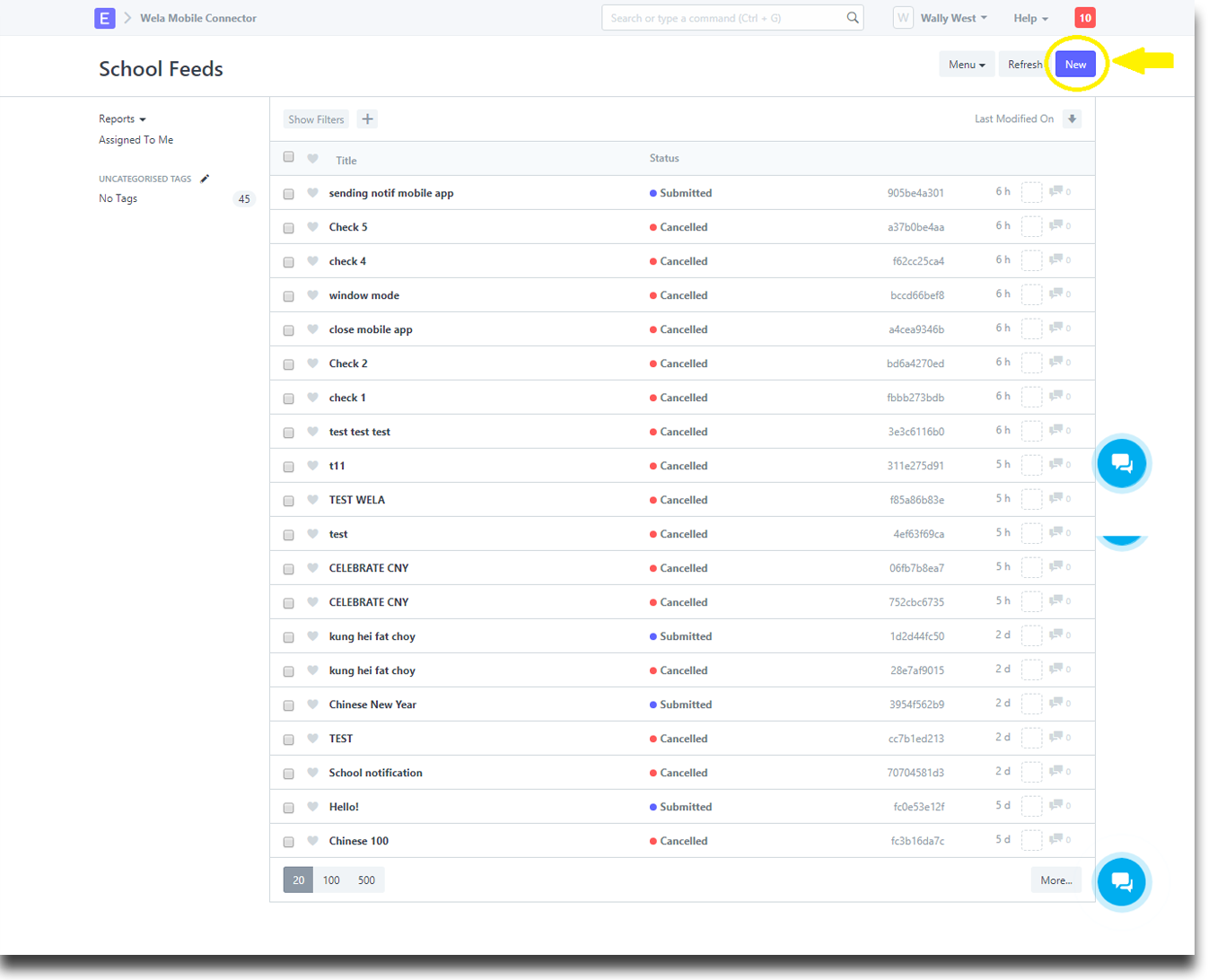
Click "New" to make new News and Announcements for Mobile App, Facebook and SMS.
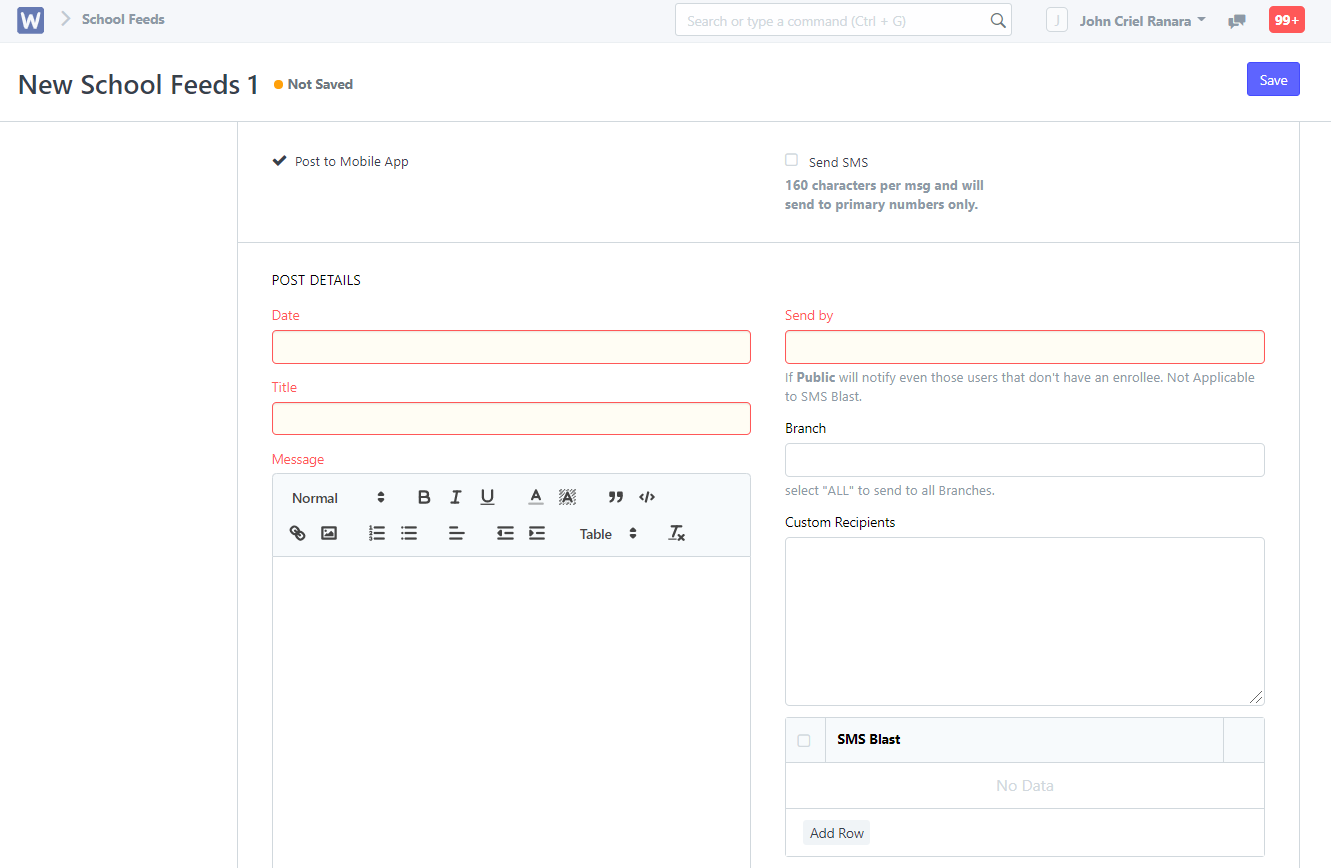
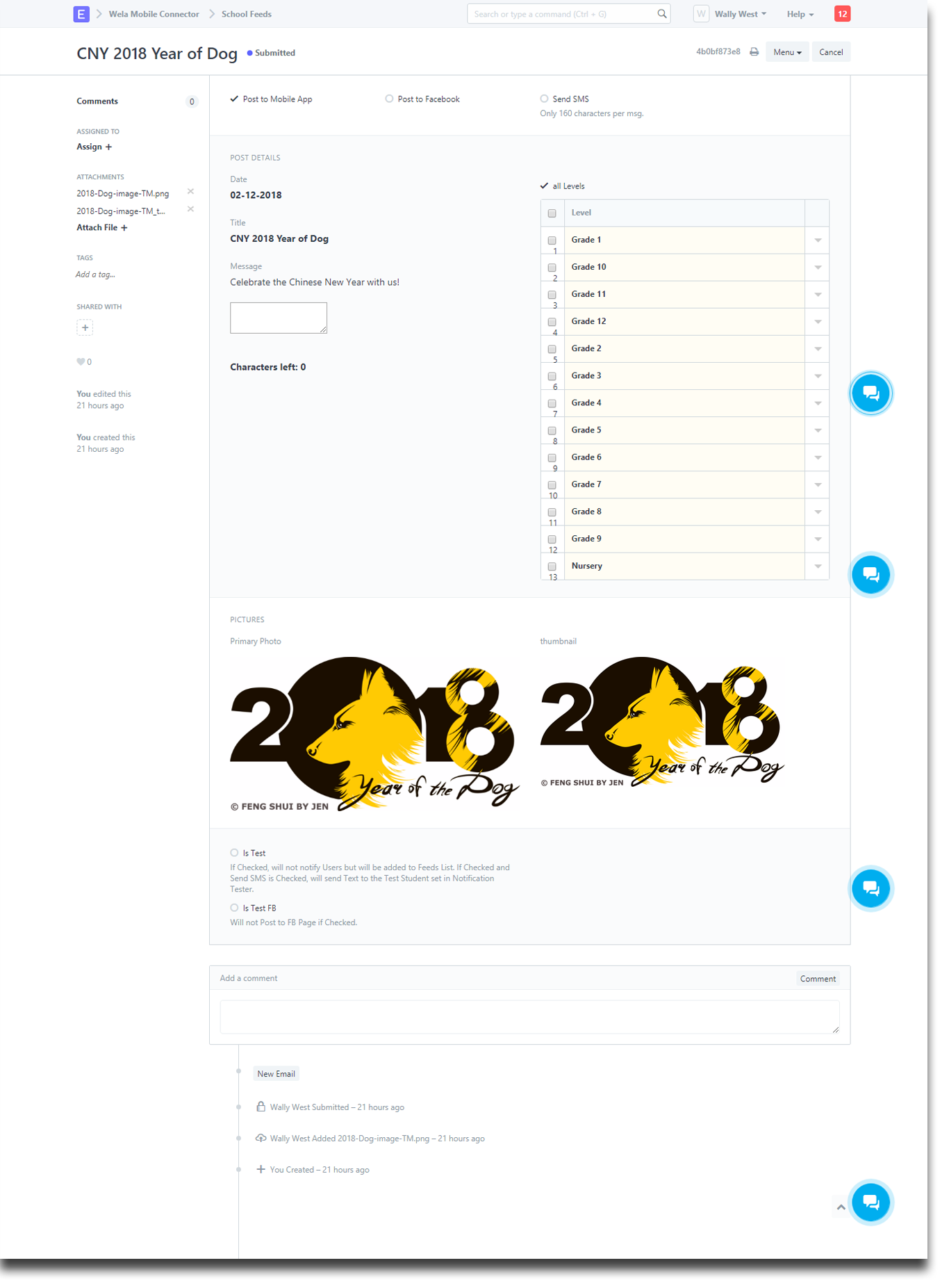
You can add additional recipients by entering mobile numbers on the Custom Recipients text bar.
After you are done inputting the necessary information please click "Save".
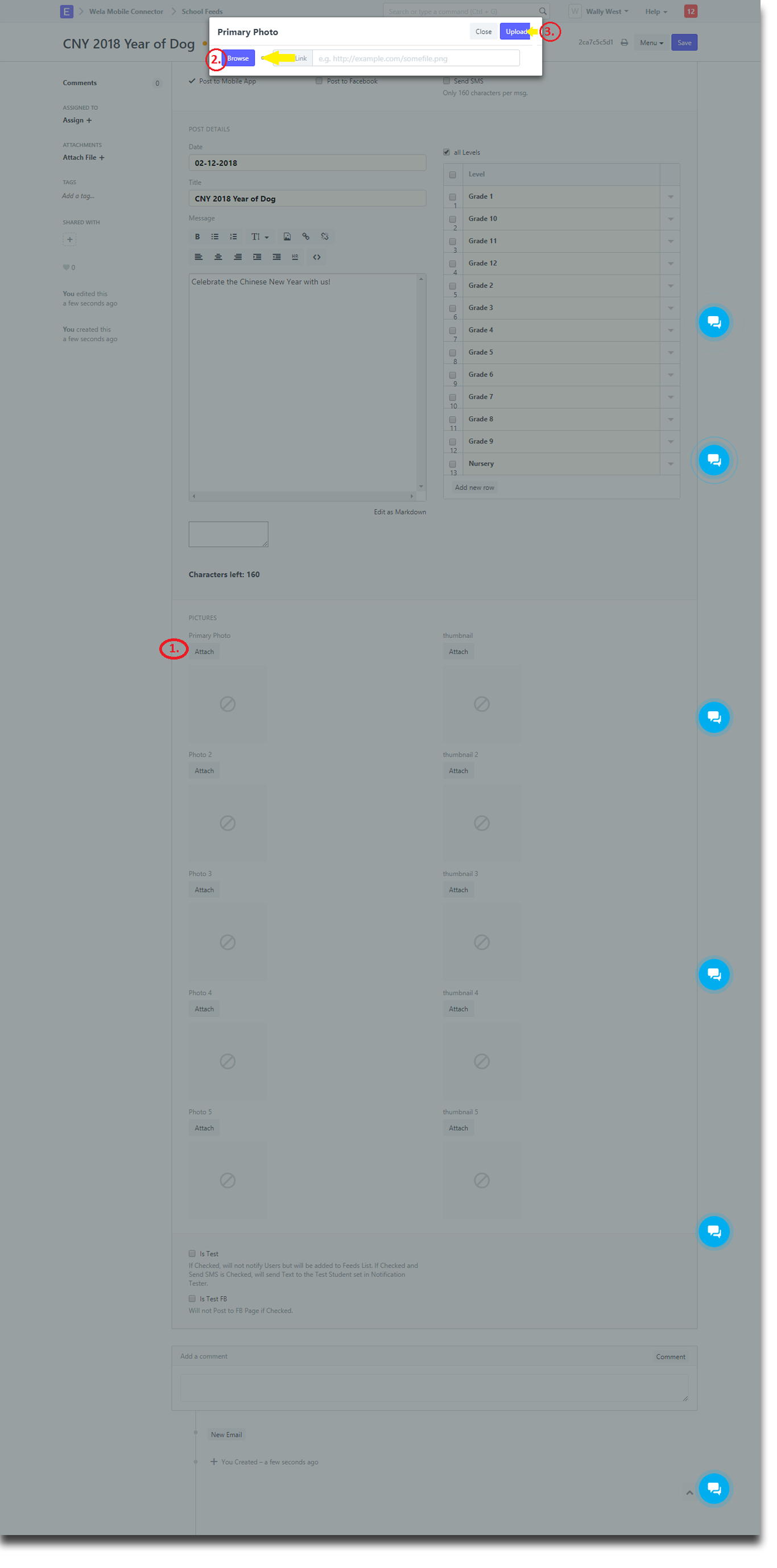
Once you click the "Save" you have to click "Submit" and then click "Yes" to permanently submit your document.
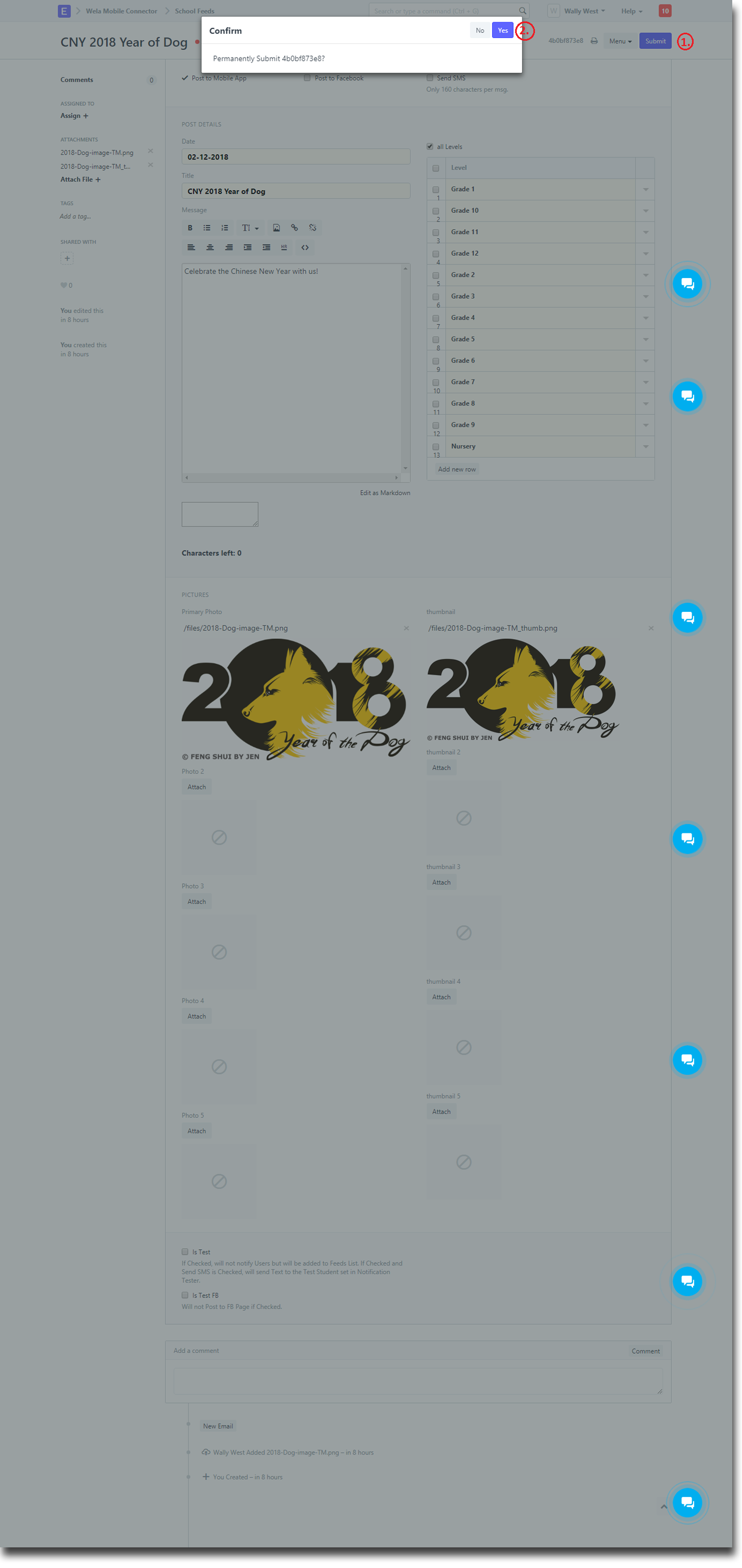
If you have a Mobile app installed in your Android or iOS phone, you should be able to get a notification.