Lesson Plan Manual
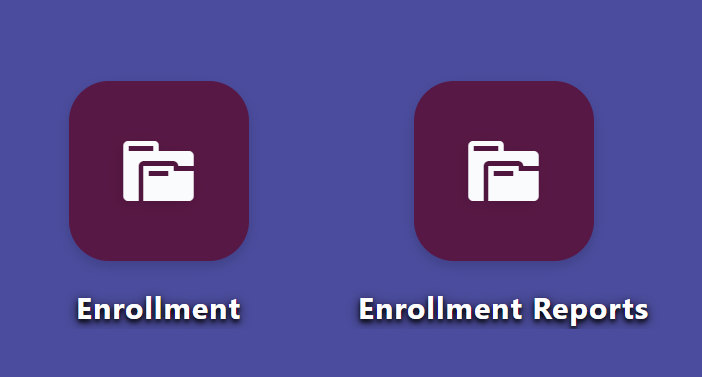
Step 1: Launch the WELA School Portal Step 2: From the dashboard, input in the
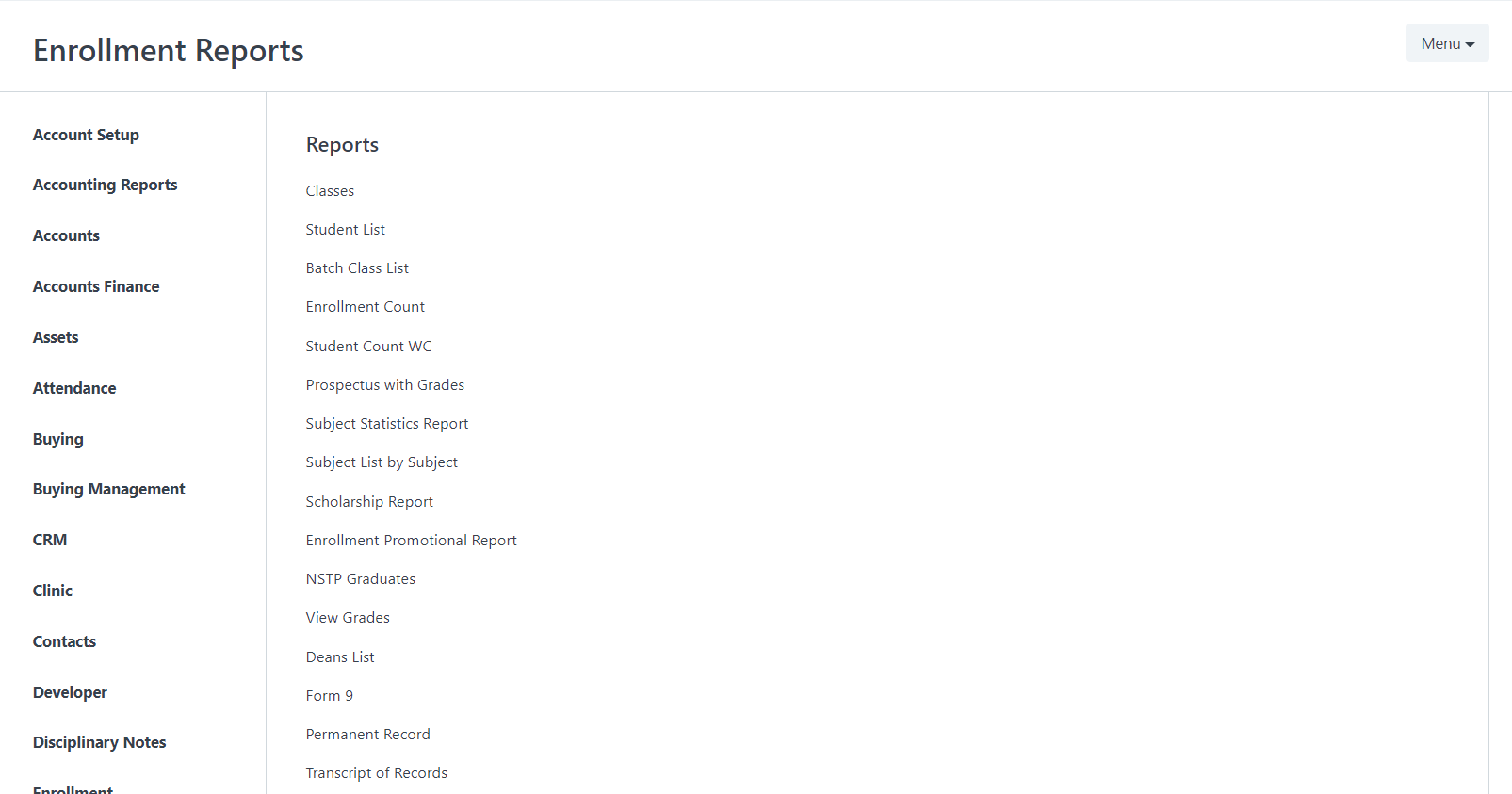
College Enrollment Reports is a statistical tool that is used to monitor the population of officially enrolled students, Subjects, Schedules, and Teaching Load. It can be categorized by School year, Student year/level, semester, Class, subjects, Courses, Gender, etc. anything related to enrollment.
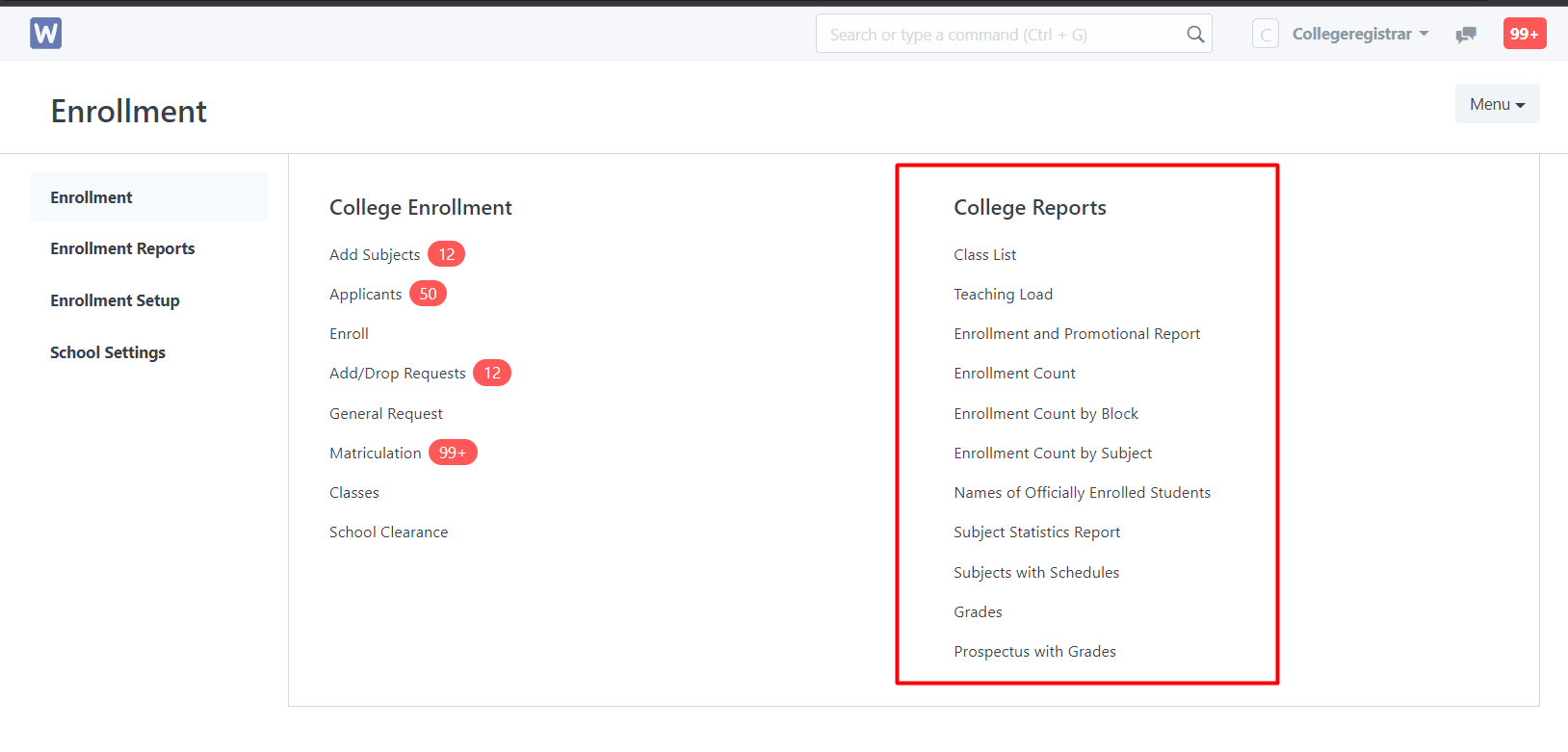
College Report contains a list of information in the enrollment that needs to be statistically analyzed and controlled. Each data has steps on how to create their reports. Students need to be officially enrolled for them to reflect their count in the data.
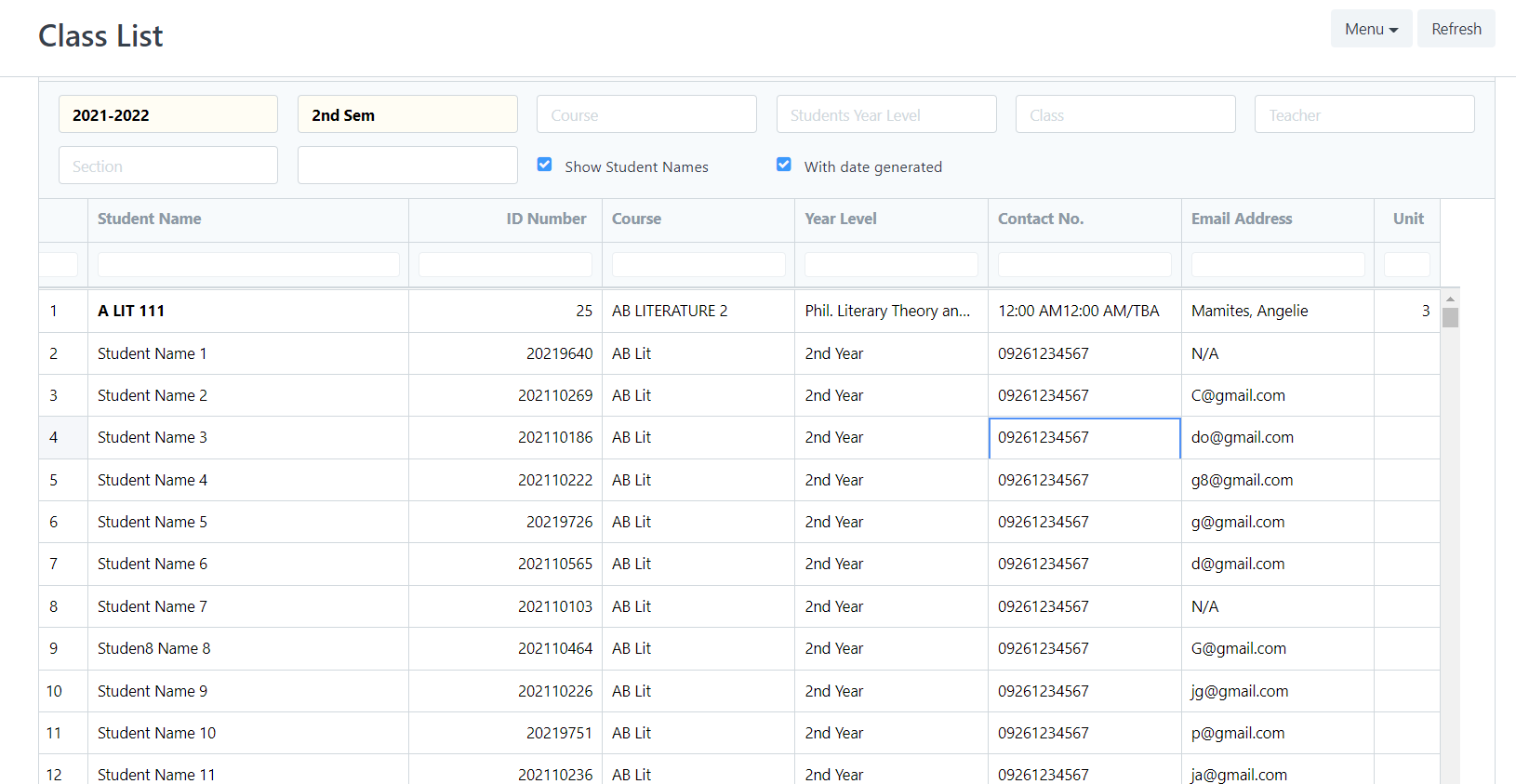
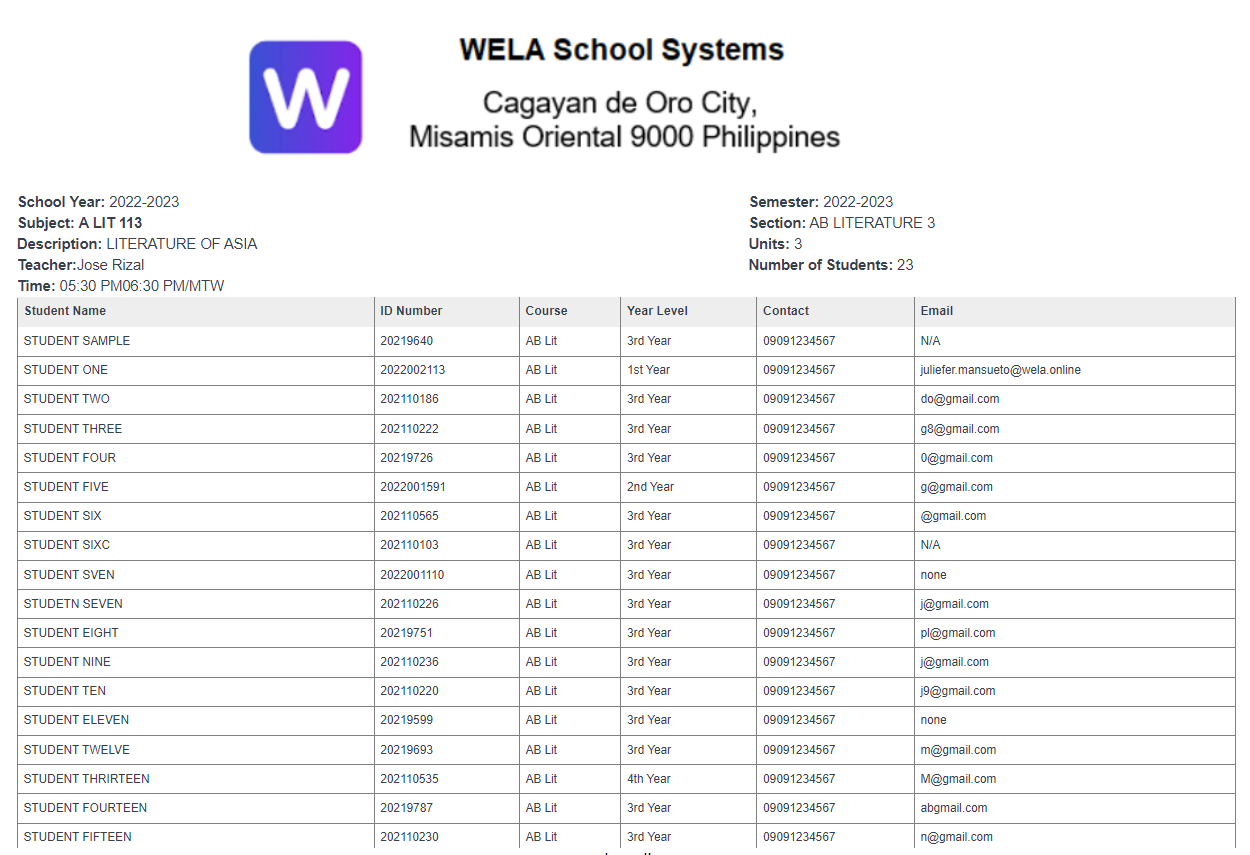
Class List contains a list of subjects with their respective course description, section, time/schedules, count of students, number of units in that subject, and assigned instructor.
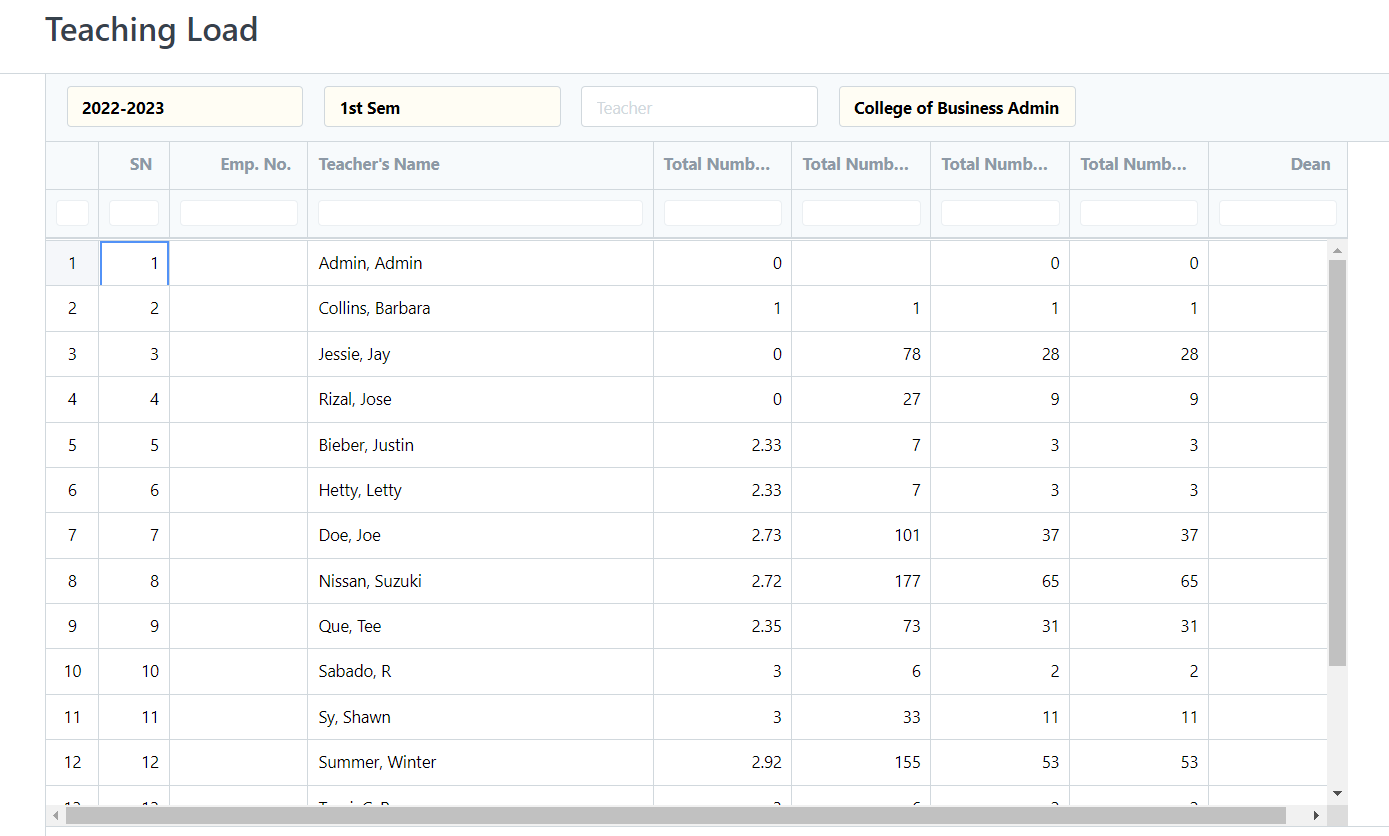
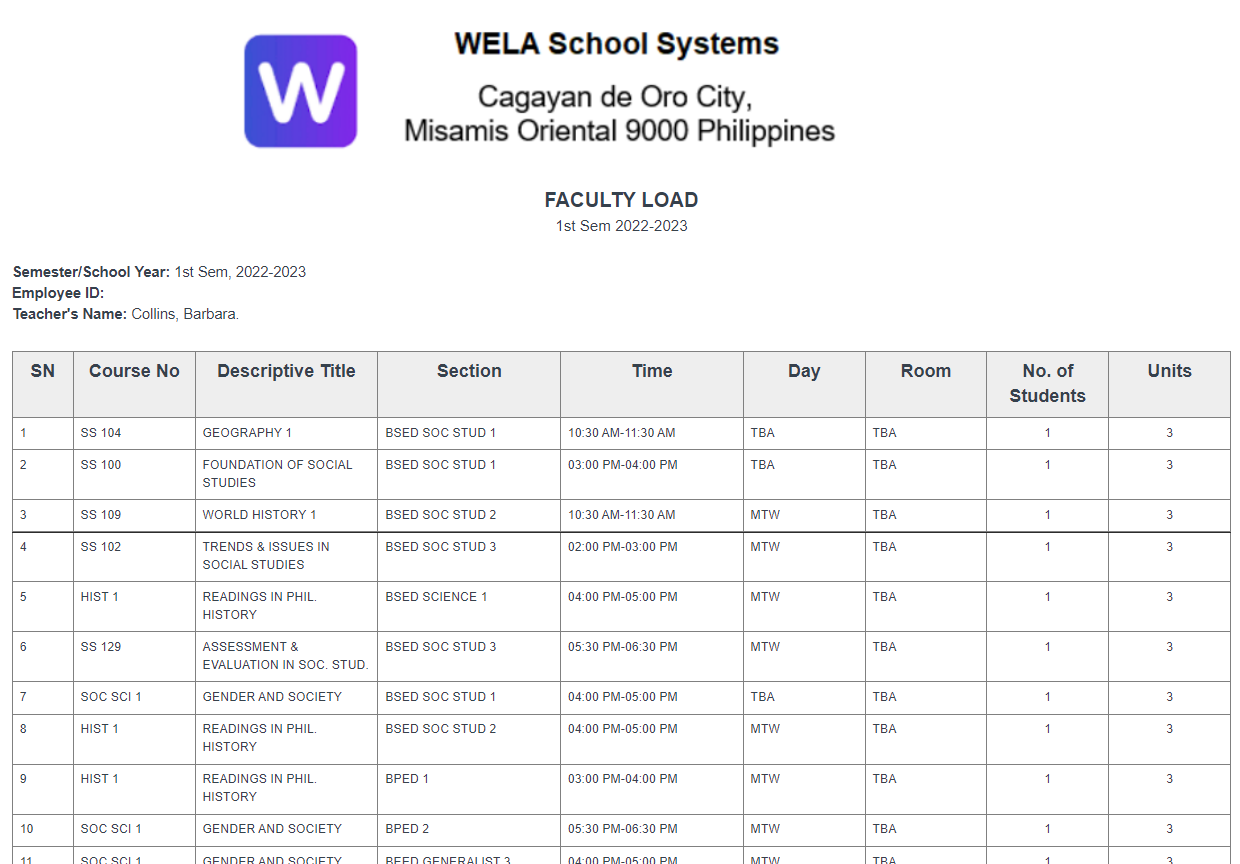
In this report, you can generate the schedules or teaching load of the teacher by Department.
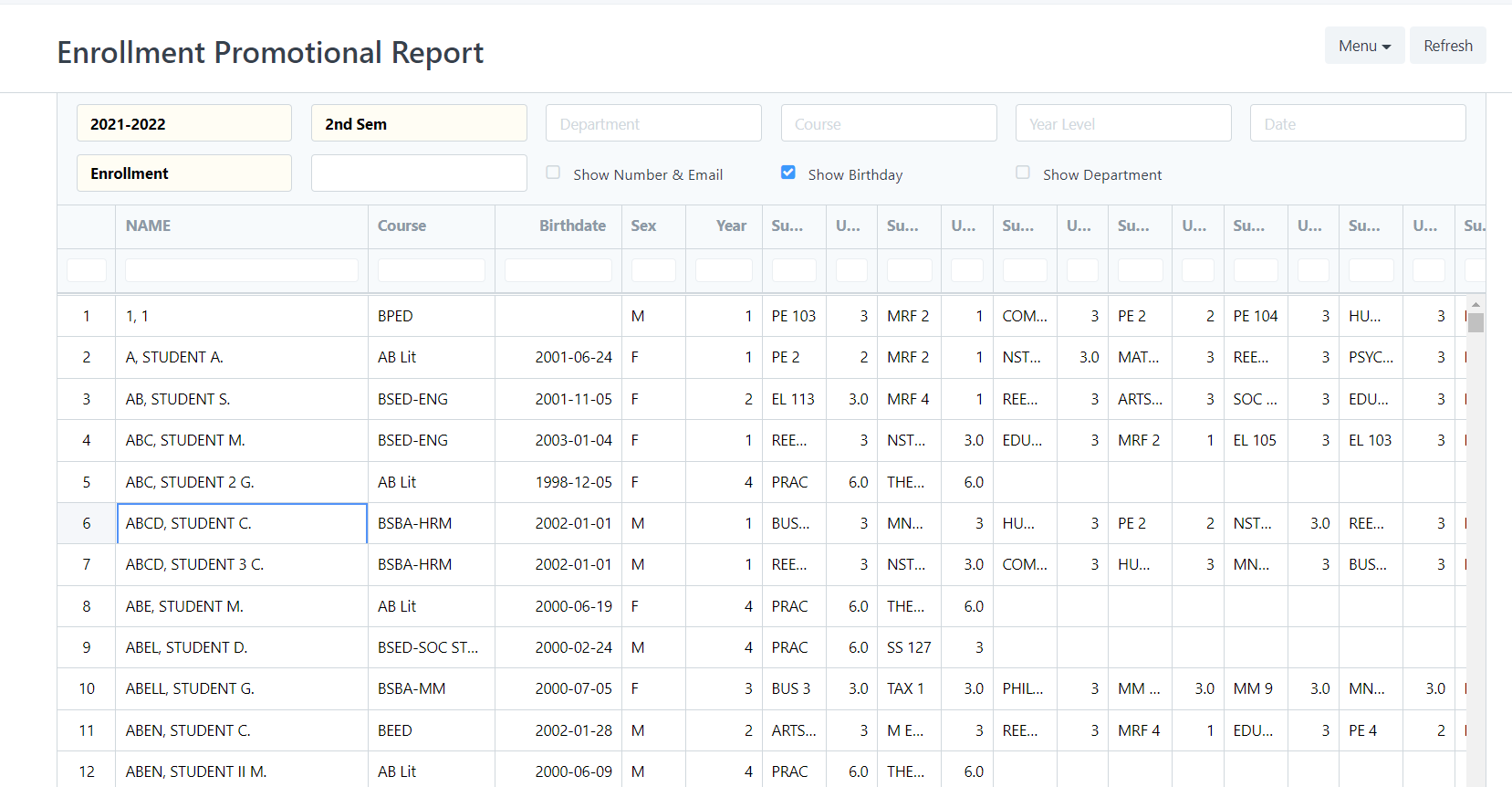
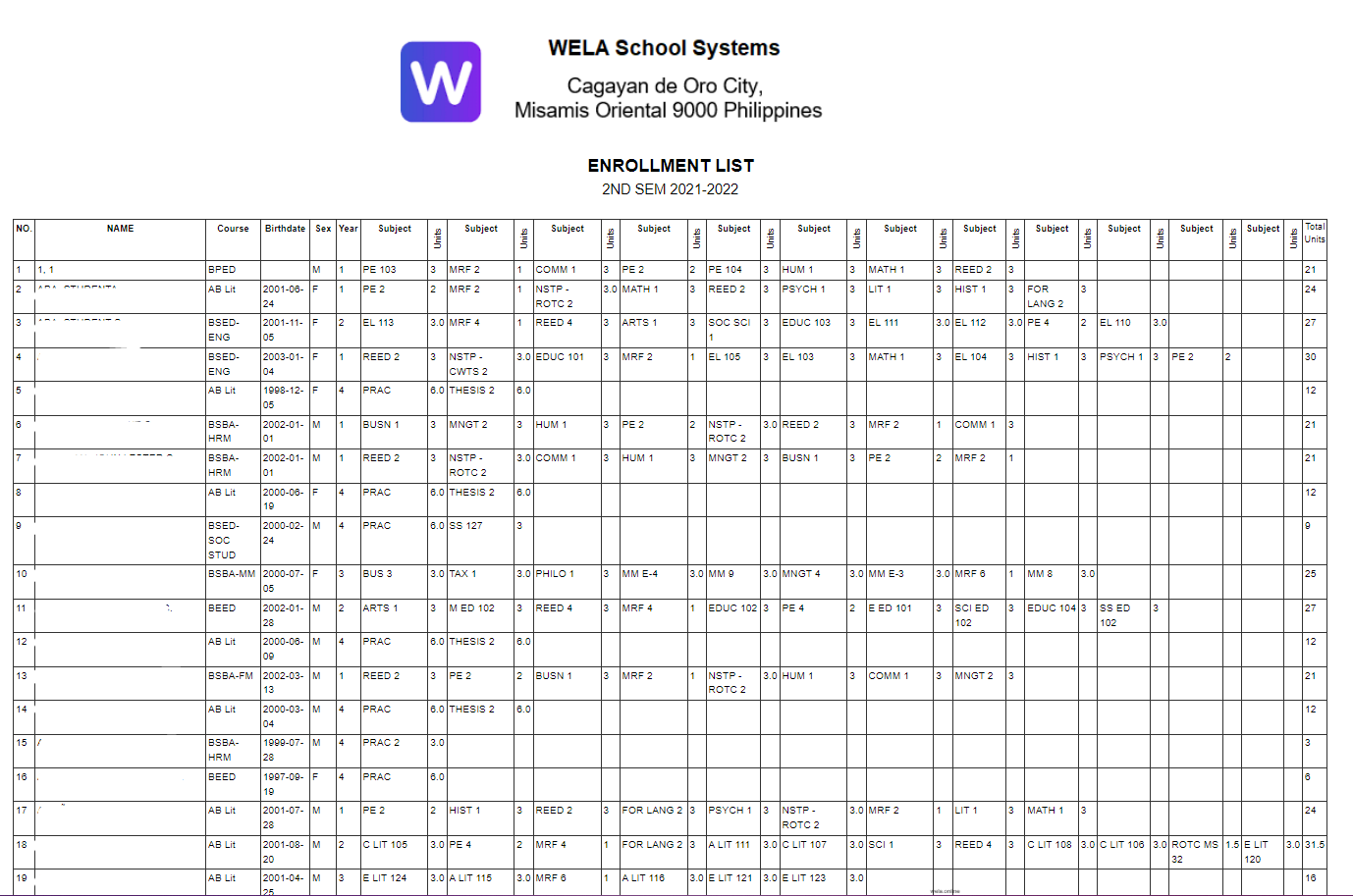
This report generates the list of enrolled students with their subjects and total of units taken.
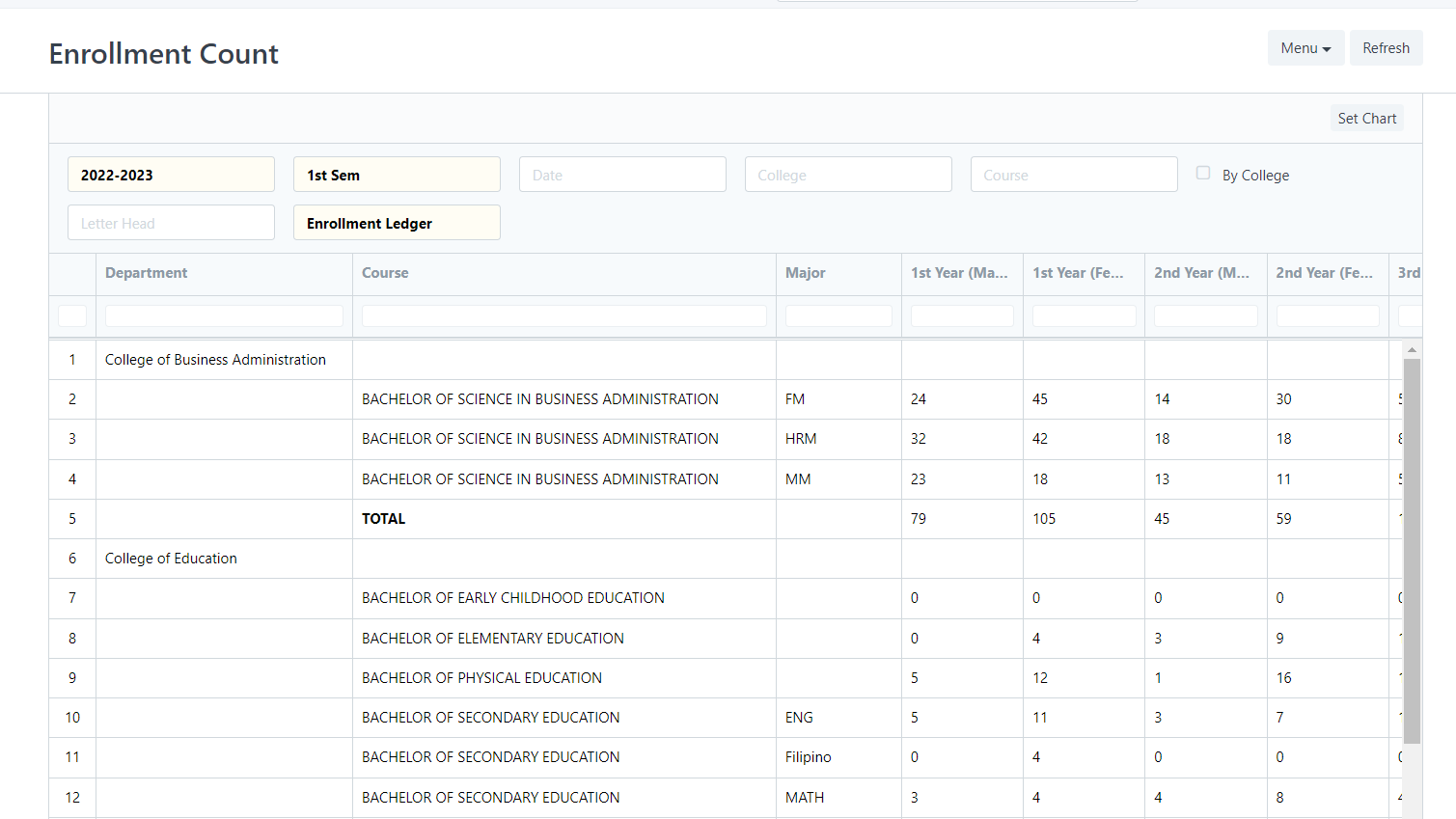
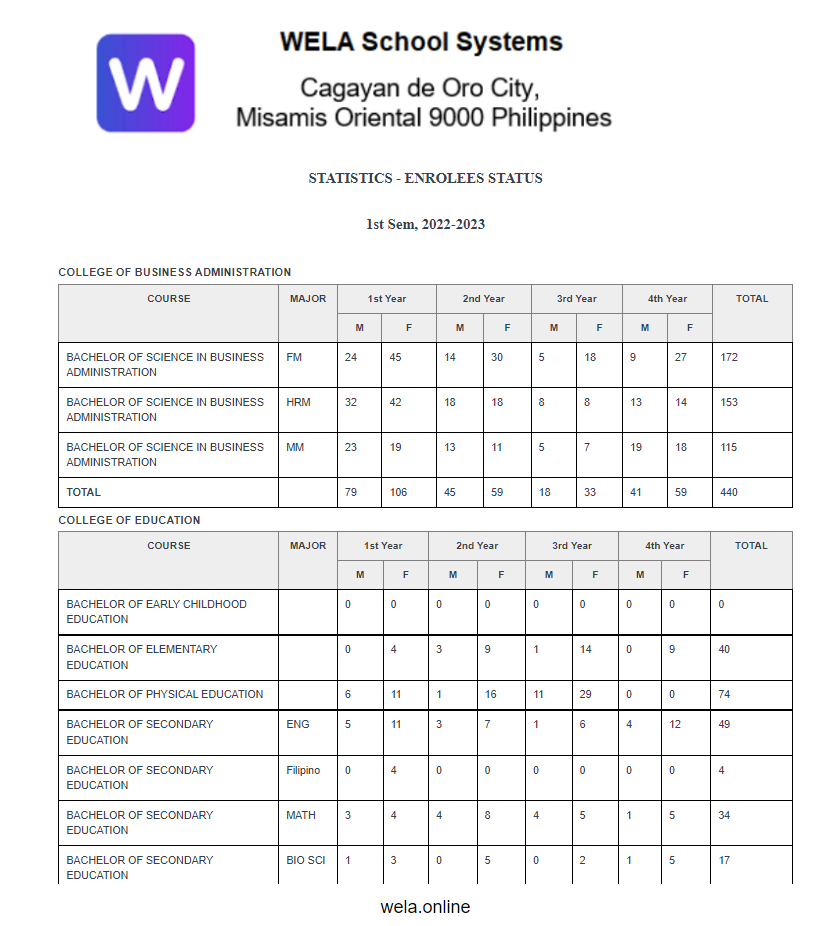
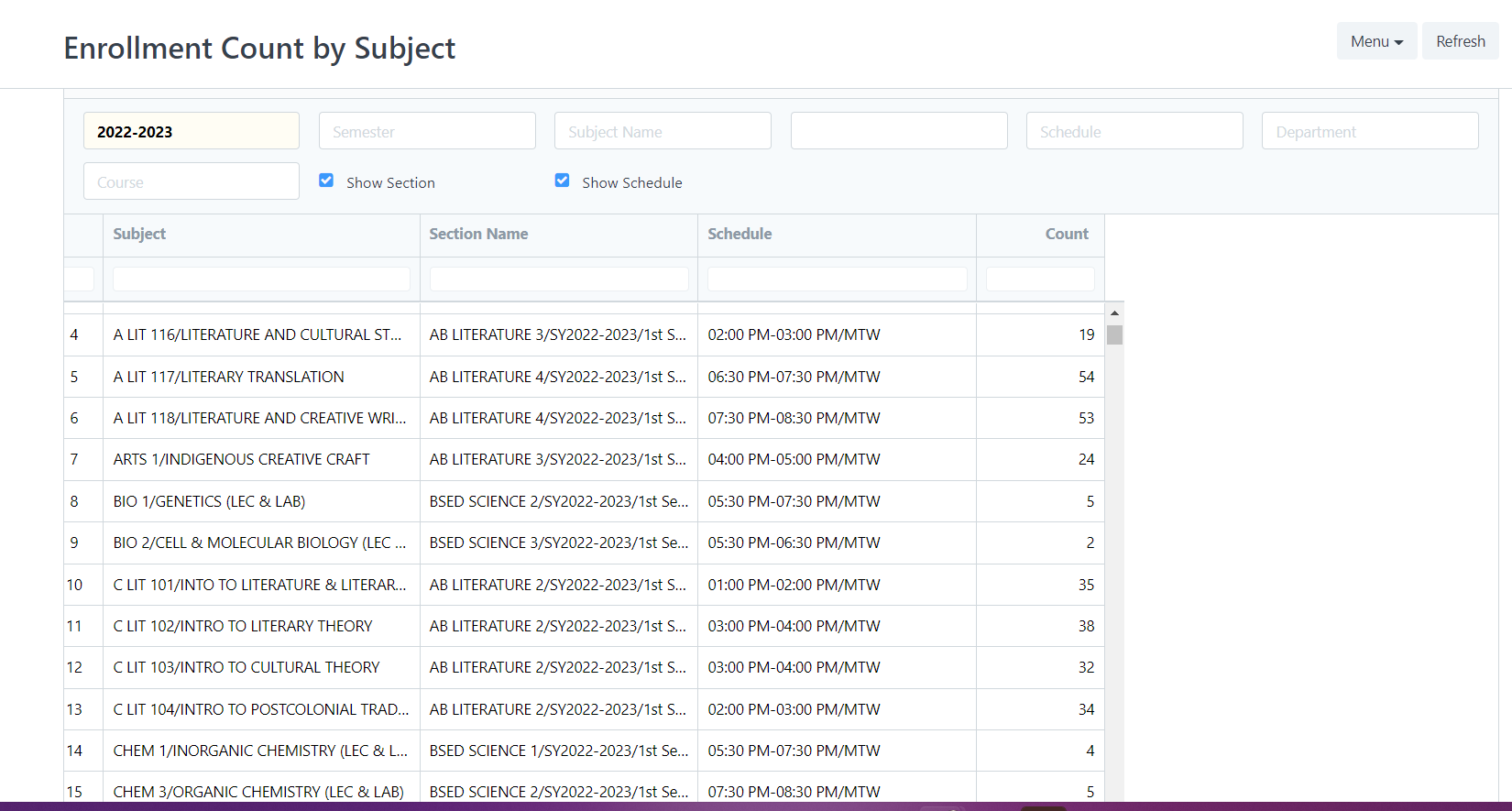
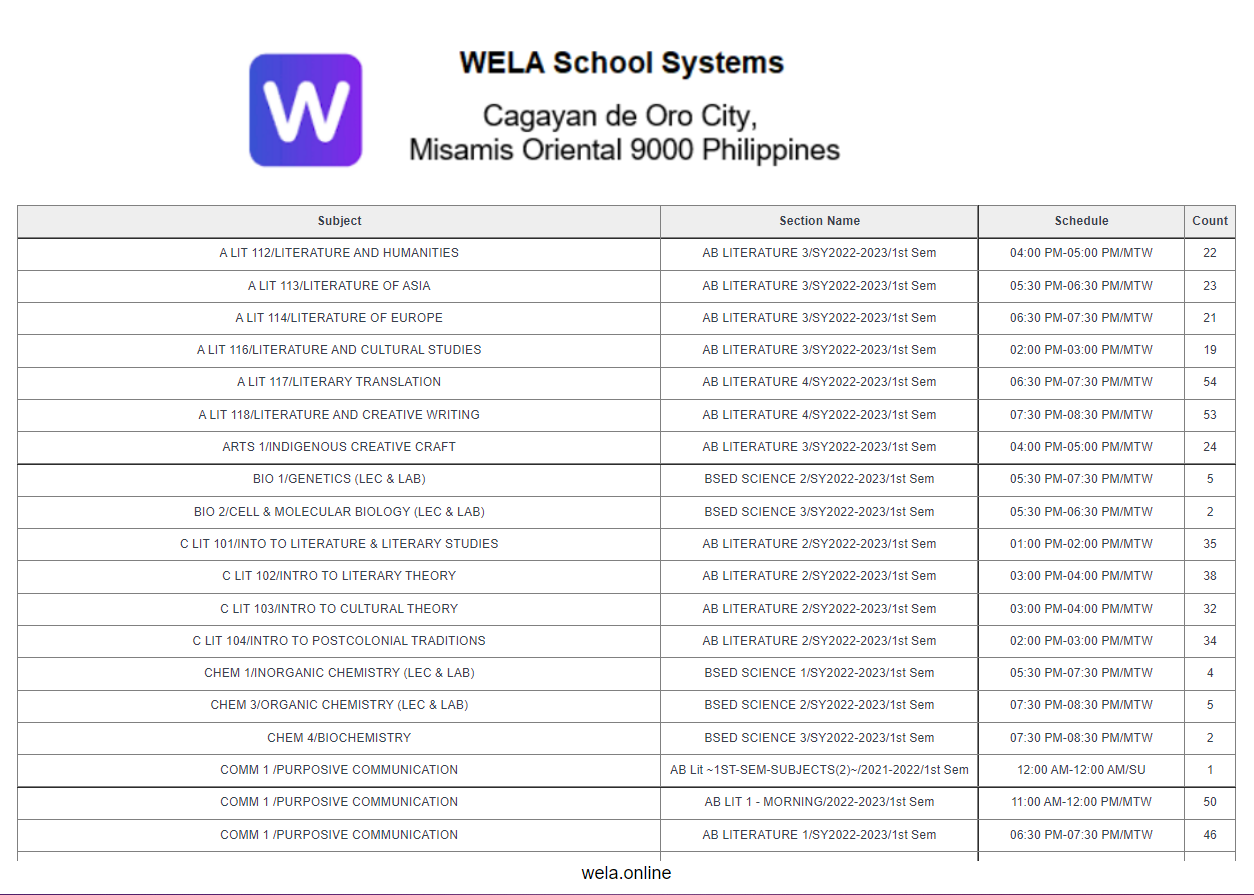
Enrollment Count contains a list of data that shows the number of students count that are officially enrolled.
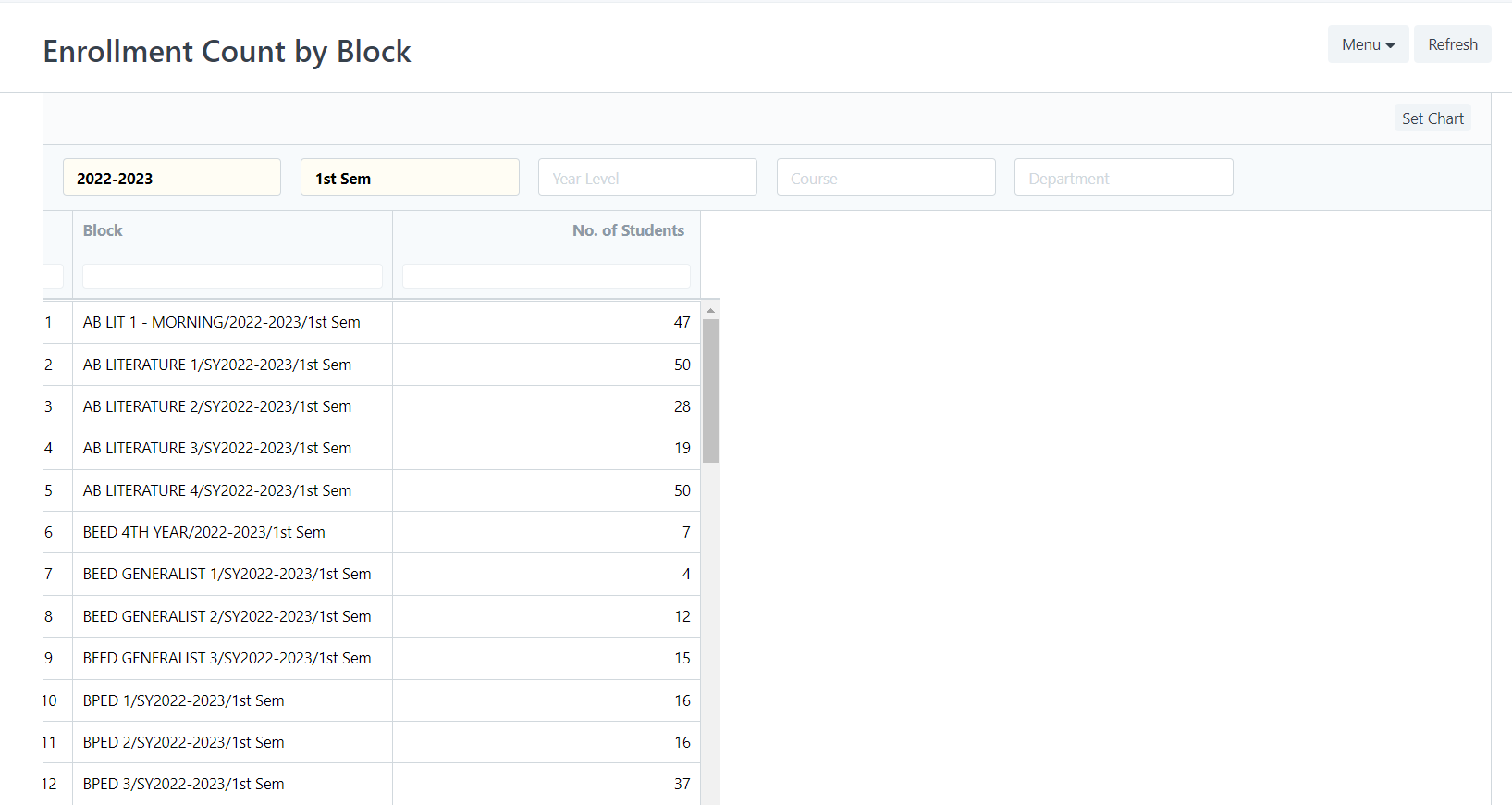
The number of enrolled students every block is shown in this report.
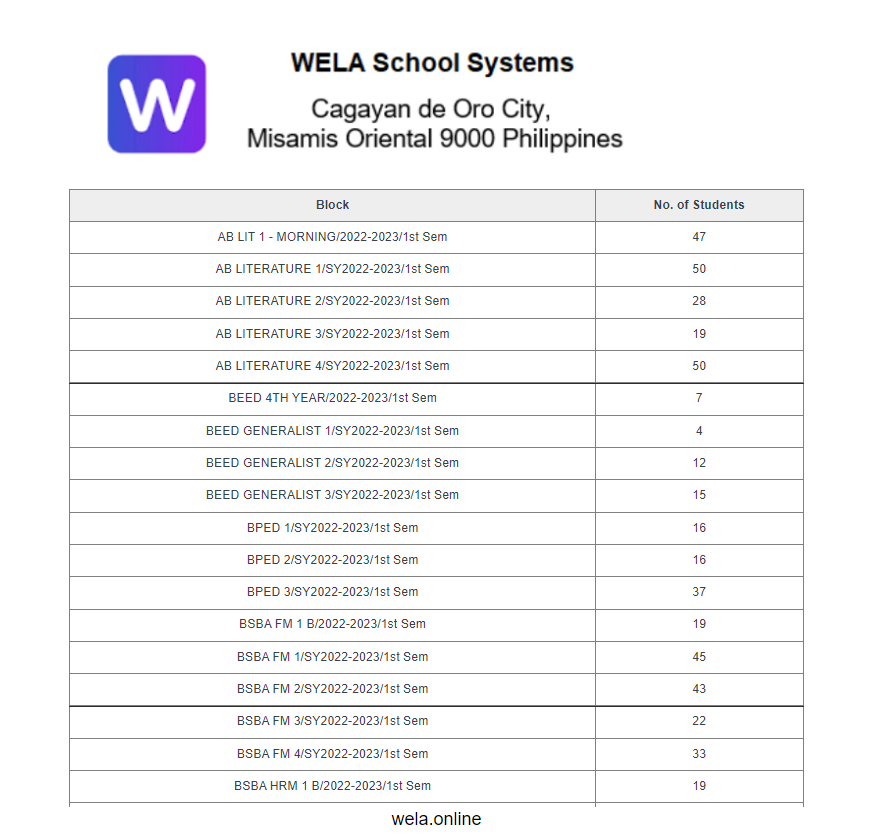
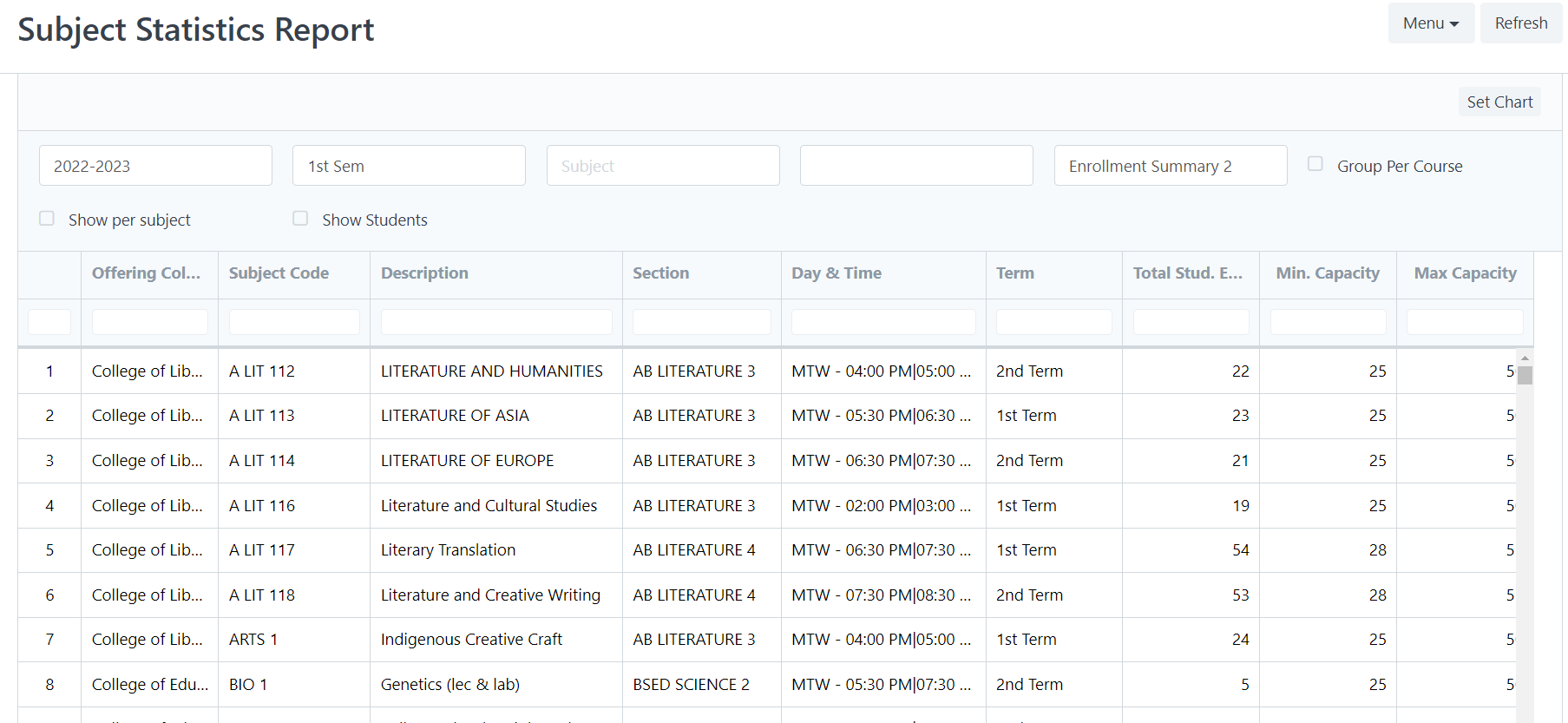
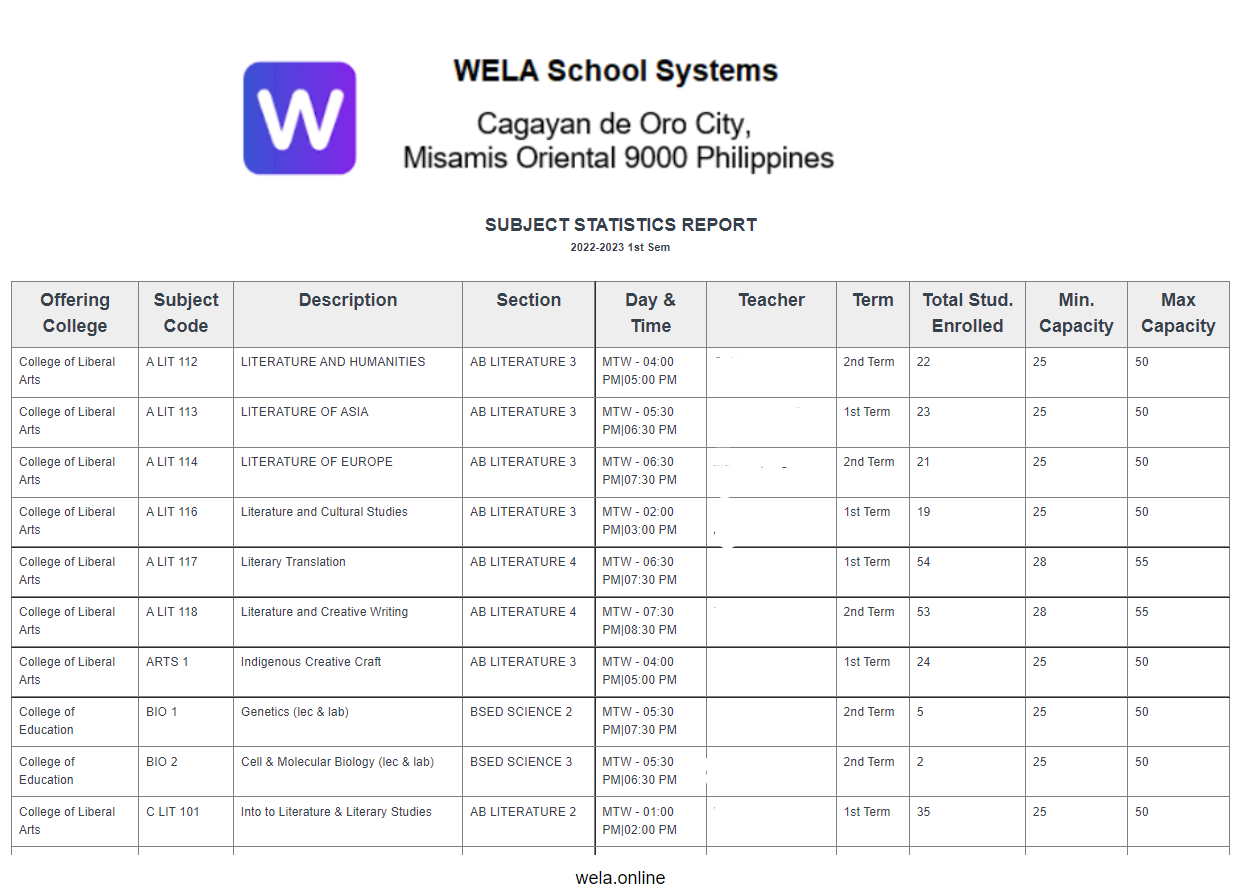
The number of students per subject is displayed in this report.
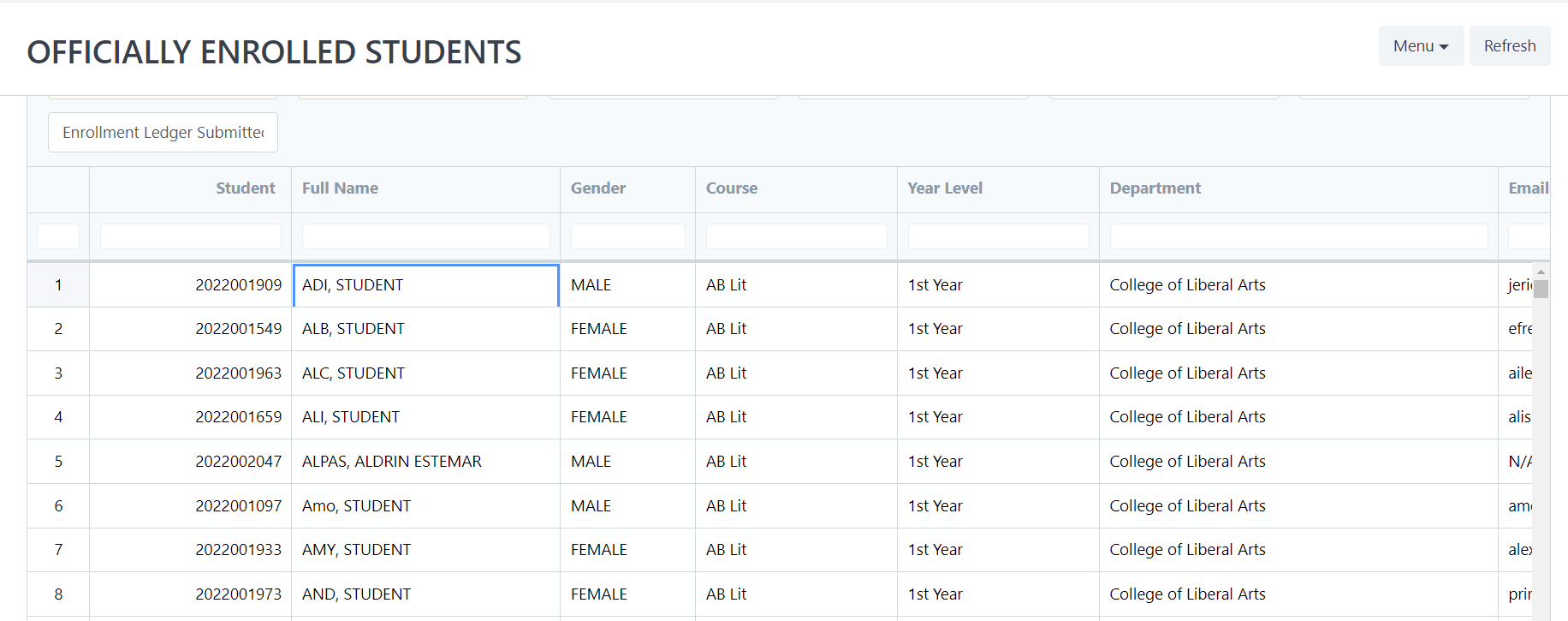
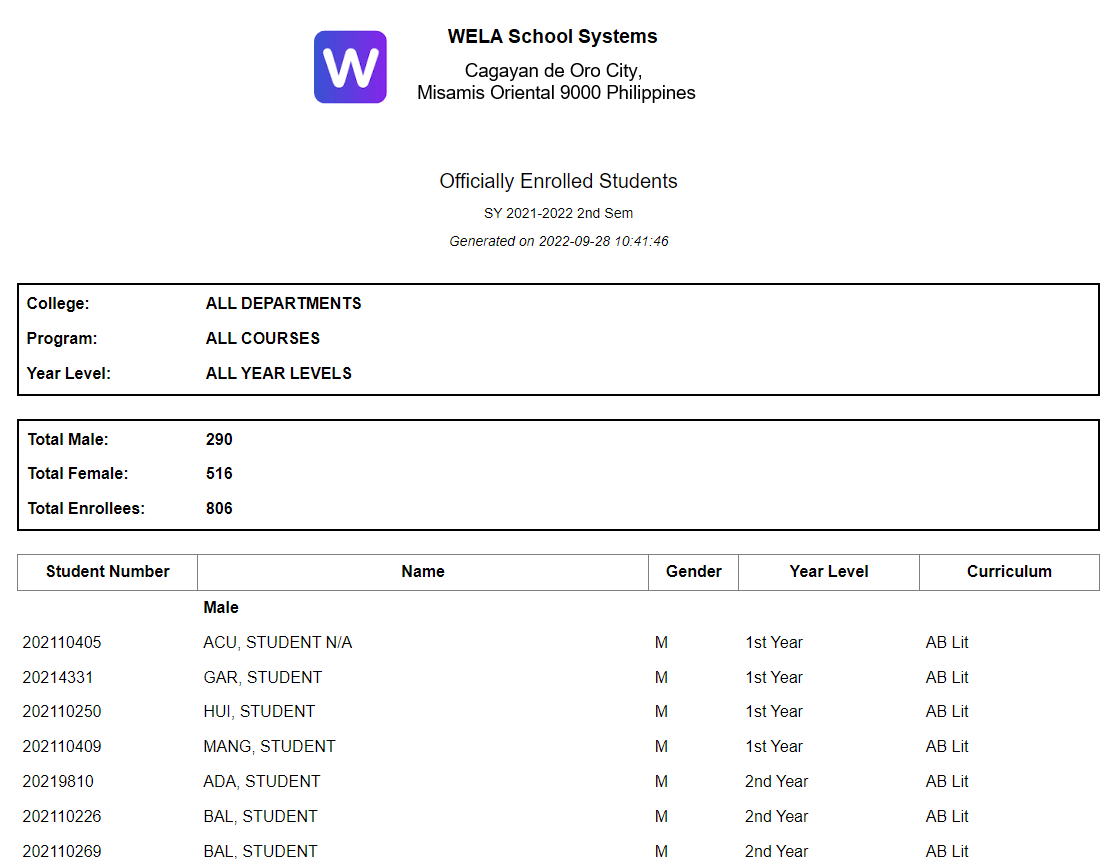
The students who are officially enrolled are generated by this report.
This report shows the total number of students enrolled, as well as the maximum and minimum capacity per class.
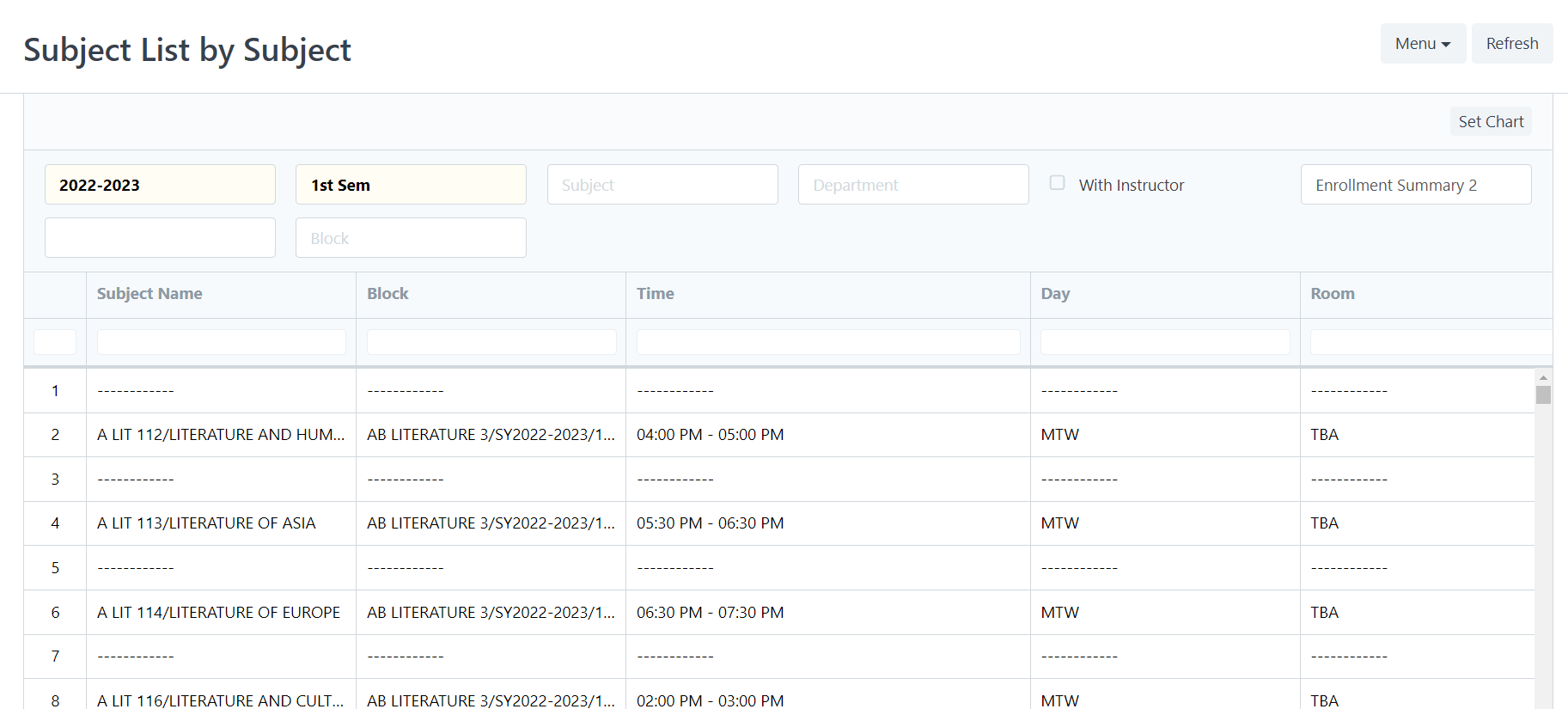
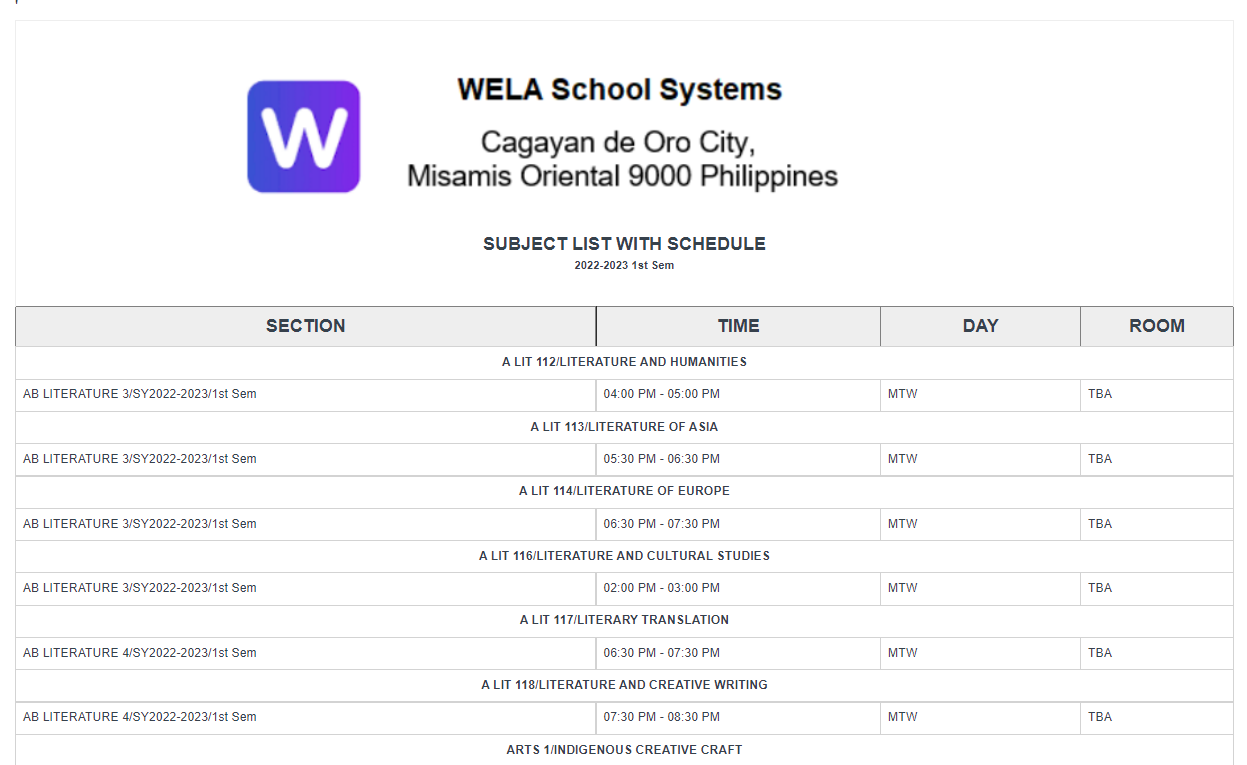
The class schedules are generated by this report.