Lesson Plan Manual
Step 1: Launch the WELA School Portal Step 2: From the dashboard, input in the
The Chart of Accounts is the blueprint of the accounts in your organization.
The overall structure of your Chart of Accounts is based on a system of double entry accounting that has become a standard all over the world to quantify how a company is doing financially.
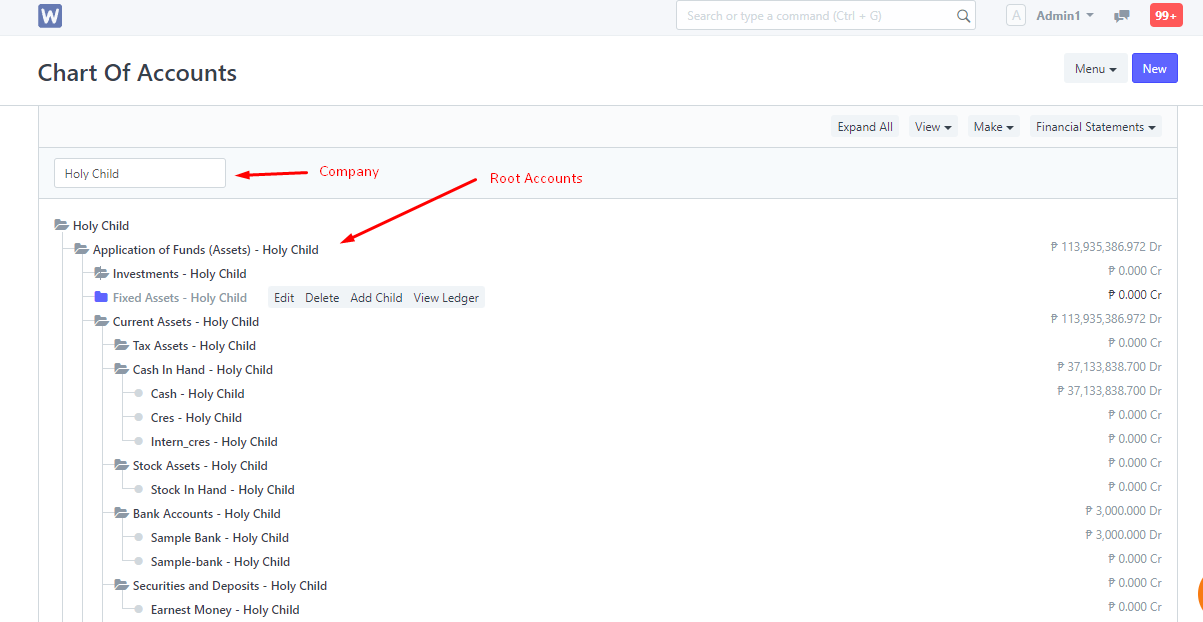
Chart of Accounts is a tree view of the names of the Accounts (Ledgers and Groups) that a Company requires to manage its books of accounts. Wela System sets up a simple chart of accounts for each Company you create, but you can modify it according to your needs and legal requirements.
For each company, Chart of Accounts signifies the way to classify the accounting entries, mostly based on statutory (tax, compliance to government regulations) requirements.
Tip: If you can’t read a Balance Sheet it's a good opportunity to start learning about this. It will be worth the effort. You can also take the help of your accountant to set up your Chart of Accounts.
To access the Chart of Accounts list, go to:
Home > Account Setup > Chart of Accounts
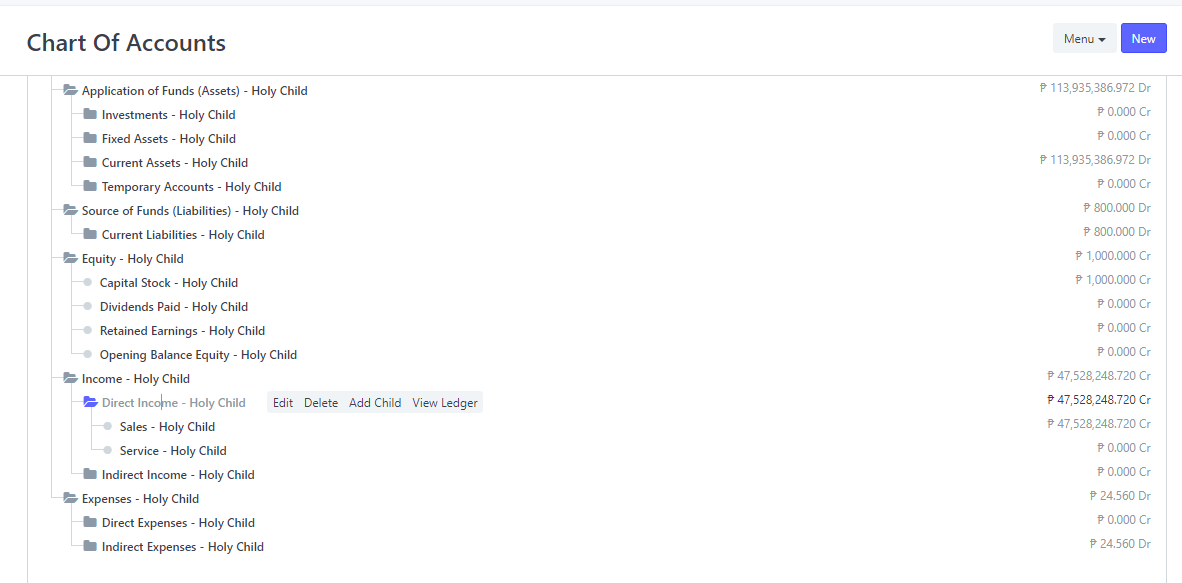
Here you can open group accounts which contain other accounts. There are options to “Add Child” in an account, Edit or Delete the account.
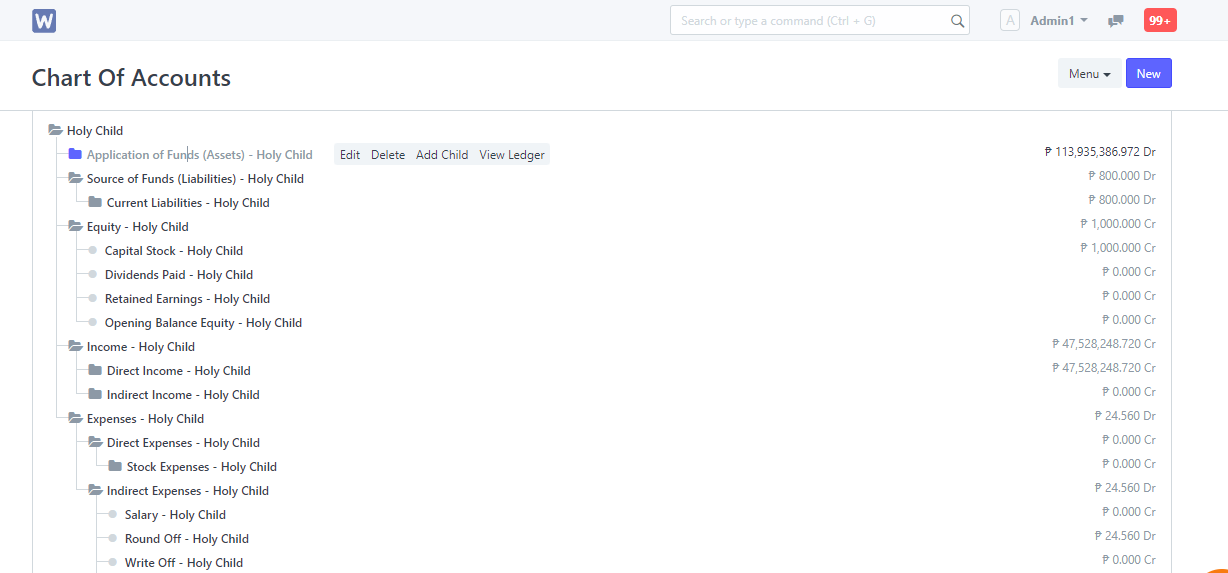
2. The option to create a child account will only appear if you click on a Group (folder) type Account.
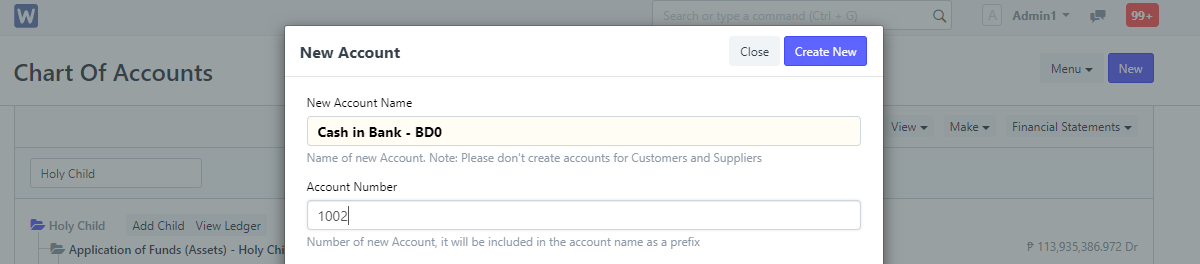
3. Enter a name for the account.
4. Enter a number for the account.
5. Tick 'Is Group' if you want this to be a group account which can contain other accounts.
6. Select the Account Type. Selecting this is important as some fields allow selecting only specific type of accounts.
7. Change the currency if this account will be used for transactions with different currency. By default, it's the Company's currency.
7. Click on Create New.
Typically, you might want to create Accounts for:
Tip: Accounts with different currencies are created when you receive or make payments to or from different currencies. For example if you are based in India and transact with USA, you may need to create accounts like 'Debtors US', 'Creditors US', etc.
Account types are mainly classified as income, expense, asset, or liability.
Balance Sheet accounts are 'Application of Funds (Assets)' and 'Sources of Funds (Liabilities)' that signifies the net-worth of your company at any given time. When you begin or end a financial period, all the Assets are equal to the Liabilities.
A note on Accounting: If you are new to accounting, you might be wondering, how can Assets be equal to Liabilities? That would mean the company has nothing of its own. That's correct! All the “investments” made in the company to buy assets (like land, furniture, machines) is made by the owners. The owners are a liability to the company since the profits belong to the owners.
All the accounts under Balance Sheet accounts represent an asset owned by the company like "Bank Account", "Land and Property", "Furniture" or a liability (funds that the company owes to others) like "Owners funds", "Debt" etc.
Two special accounts to note here are Accounts Receivable (money you have to collect from your Customers) and Accounts Payable (money you have to pay to your Suppliers) under Assets and Liabilities respectively.
Profit and Loss is the group of 'Income' and 'Expense' accounts that represent your accounting transactions over a period.
Unlike Balance Sheet accounts, Profit and Loss accounts (or PL accounts) do not represent net worth (Assets), but rather represent the amount of money spent and collected in servicing customers during the period. Hence, at the beginning and end of your Fiscal Year, they become zero.
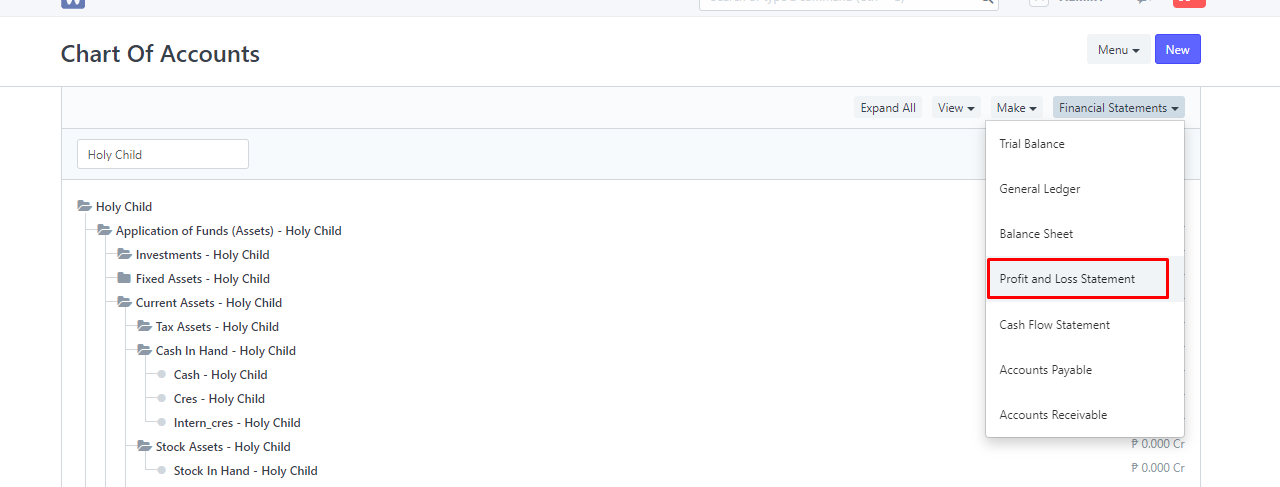
In Wela it is easy to keep track of Profit and Loss via the Profit and Loss chart.
To access Profit and Loss Statement:
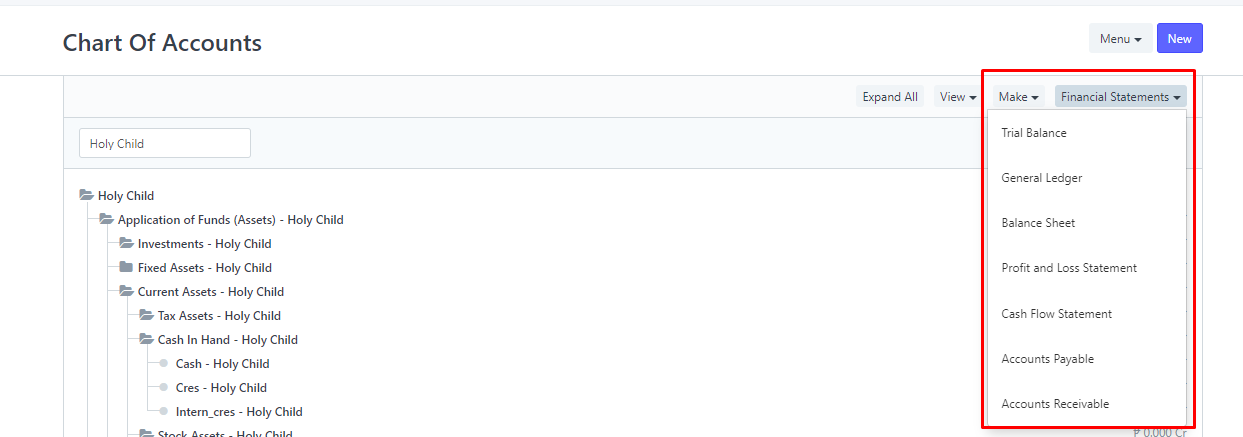
Chart of Accounts > Financial Statements > Profit and Loss Statement
There are two main kinds of Accounts in Wela - Group and Ledger. Groups can have sub-groups and ledgers within them, whereas ledgers are the leaf nodes of your chart and cannot contain more accounts in them.
Accounting Transactions can only be made against Ledger Accounts (not Groups)
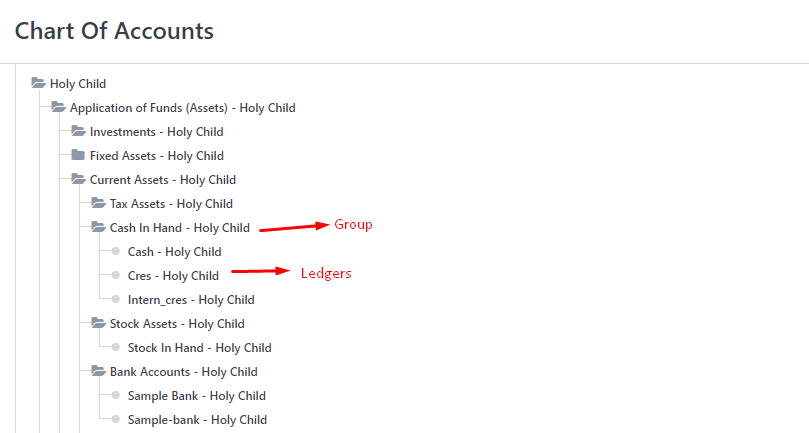
Info: The term "Ledger" means a page in an accounting book where entries are made. There is usually one ledger for each account (like a Customer or a Supplier).
Note: An Account “Ledger” is also sometimes called as Account “Head”.
In Wela, you can also specify more information when you create a new Account, this is there to help you select that particular account in a scenario like 'Bank Account' or a 'Tax Account' and has no effect on the Chart itself.
Explanation of account types:
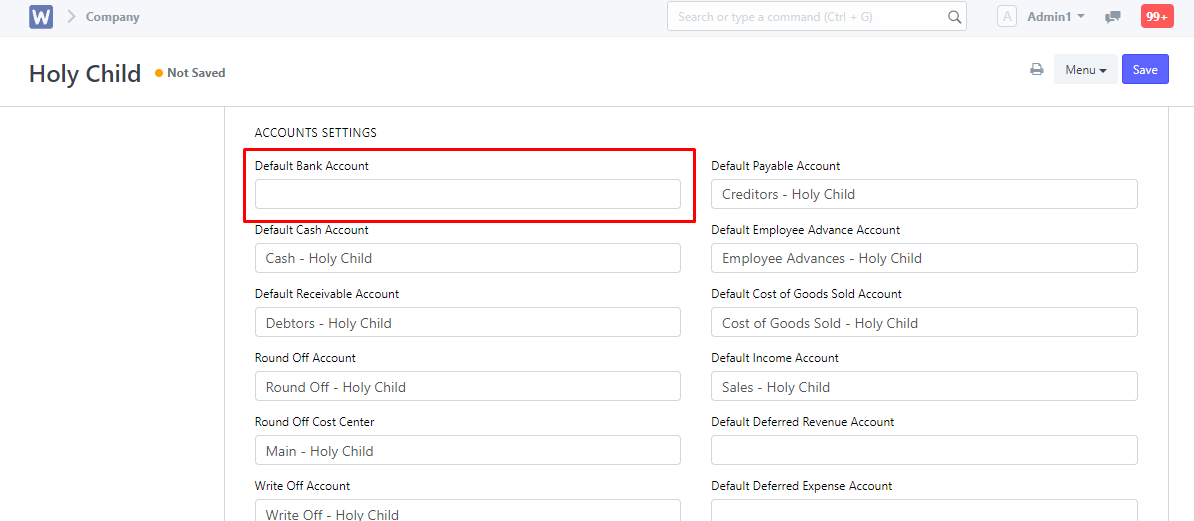
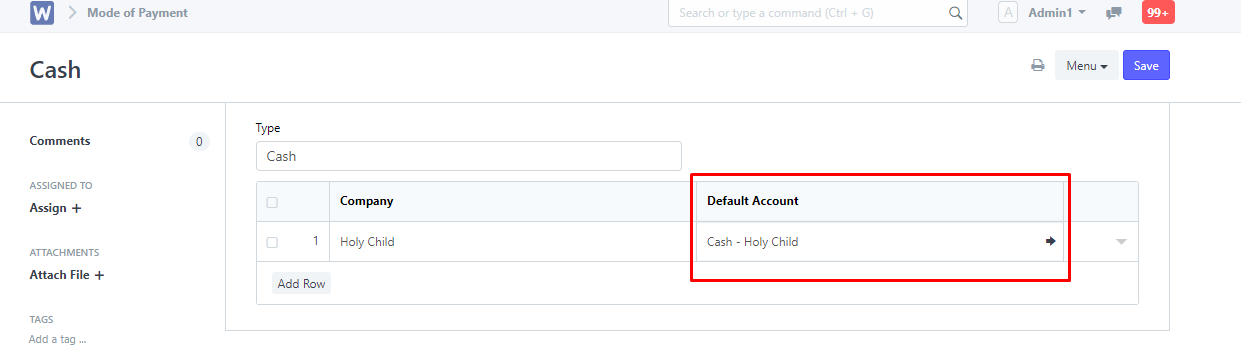
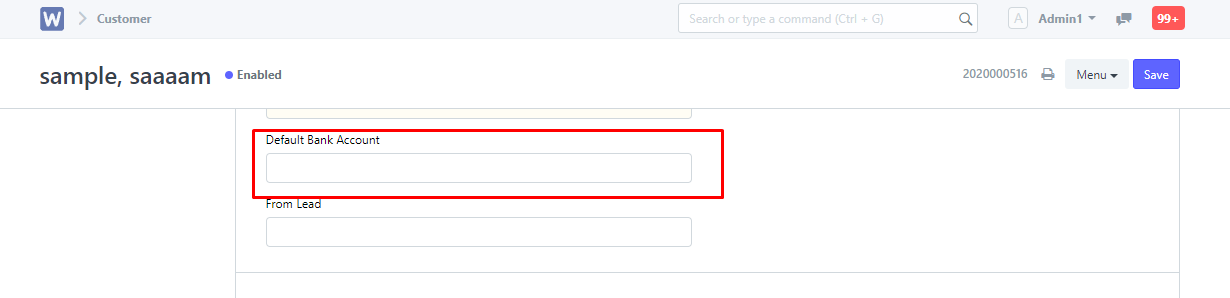
Note: When making Payment Entries, the default bank account will be fetched in the following order if set:
Company Form:
Mode of Payment:
Customer/Supplier List:
Financial statements for your company are easily viewable in Wela. You can view financial statements such as Balance Sheet, Profit and Loss statement, and Cash flow statement.
A standard Chart of Accounts is organized according to a numerical system. Each major category will begin with a certain number, and then the sub-categories within that major category will all begin with the same number. For example, if assets are classified by numbers starting with the digit 1000, then cash accounts might be labeled 1100, bank accounts might be labeled 1200, accounts receivable might be labeled 1300, and so on. A gap between account numbers is generally maintained for adding accounts in the future.
You can assign a number while creating an account from Chart of Accounts page. You can also edit a number from account record, by clicking Update Account Name / Number button. On updating account number, the system renames the account name automatically to embed the number in the account name.